Queues
Queues and skills per client.
Each client gets its own queues, skills, and service level target, managed from the screen supervisors already use.
QueuesEvery client wants their own queue, script, and numbers. Unbound runs them side by side, puts bots on the routine volume, and scores conversations against each client’s playbook while they happen, instead of pulling a sample.
100+ countries · Cloud, hybrid, or onsite · 1 to 1,000 seats
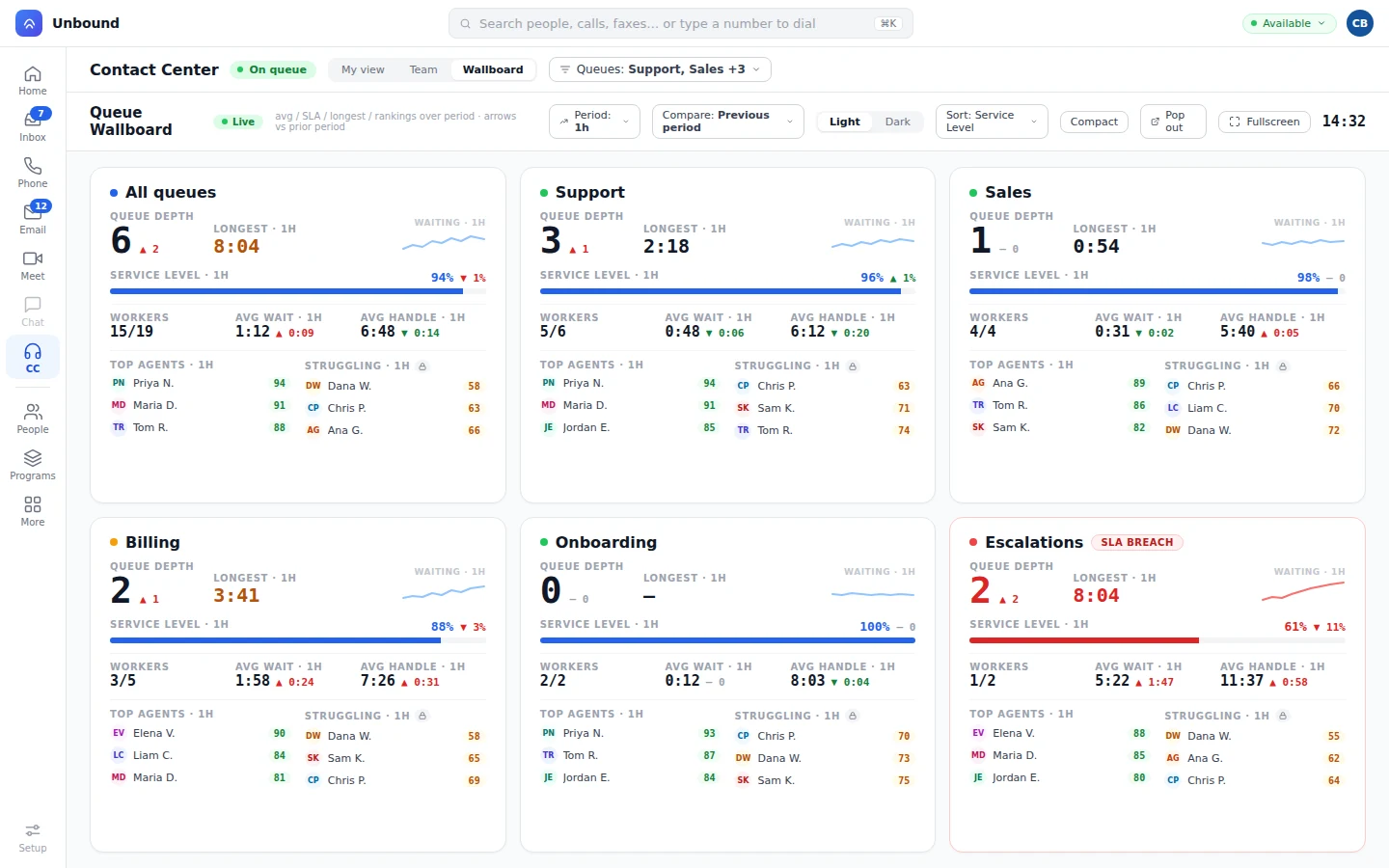
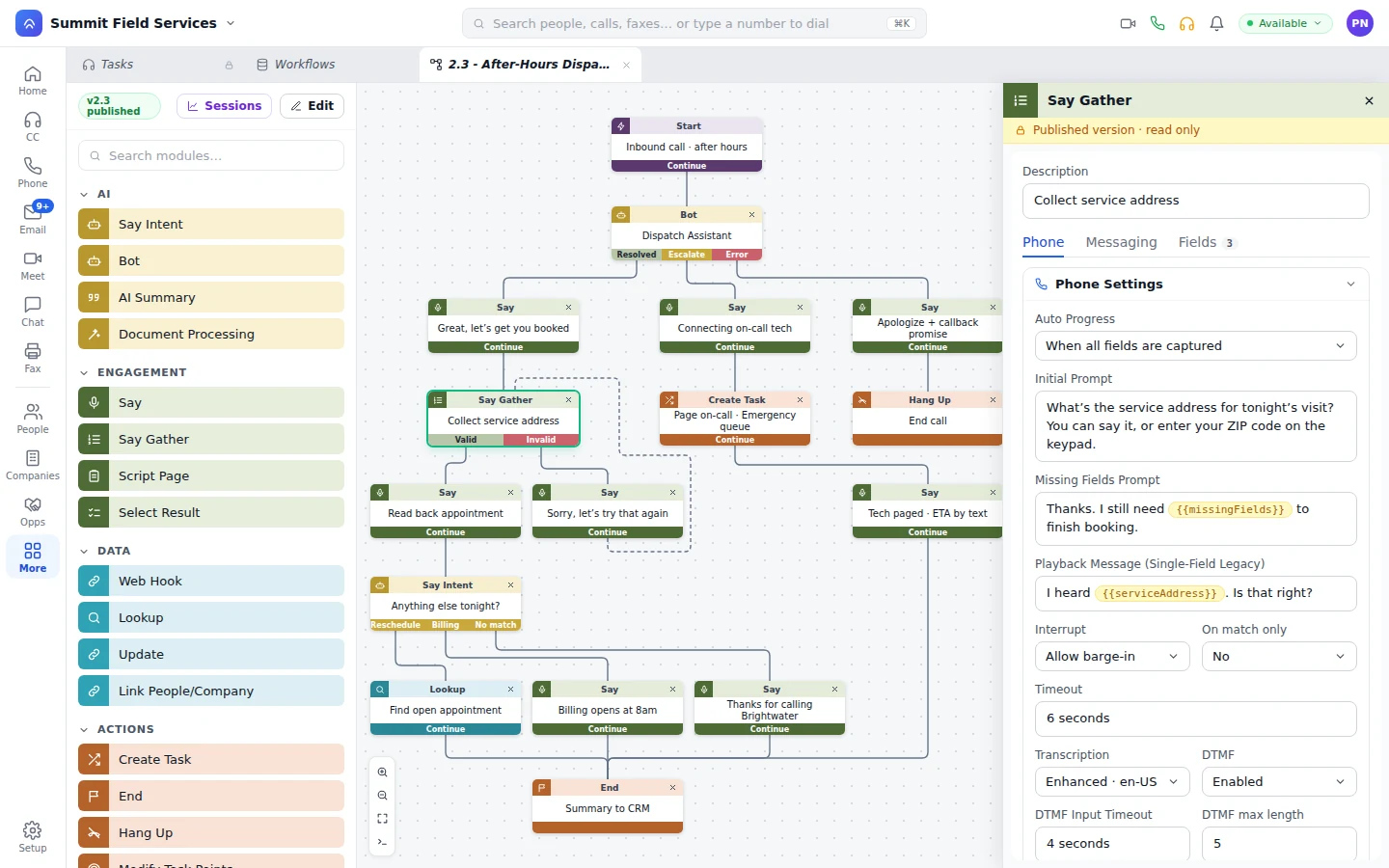
The ops lead adds the client’s queues and skills, loads the script as a playbook, and points the numbers at a workflow.
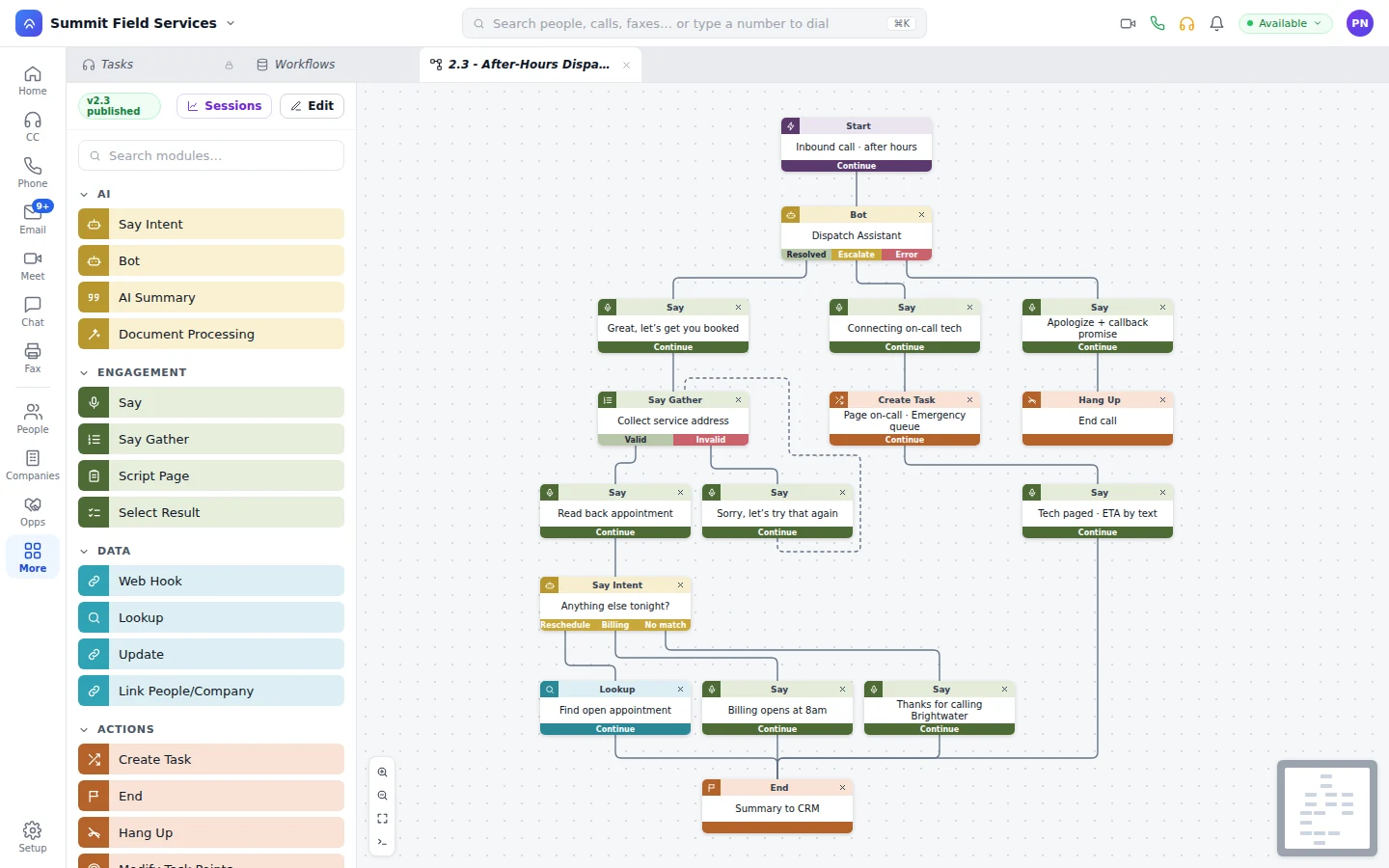
Order status and address changes go to bots on the client’s queue. Everything else routes to an agent.
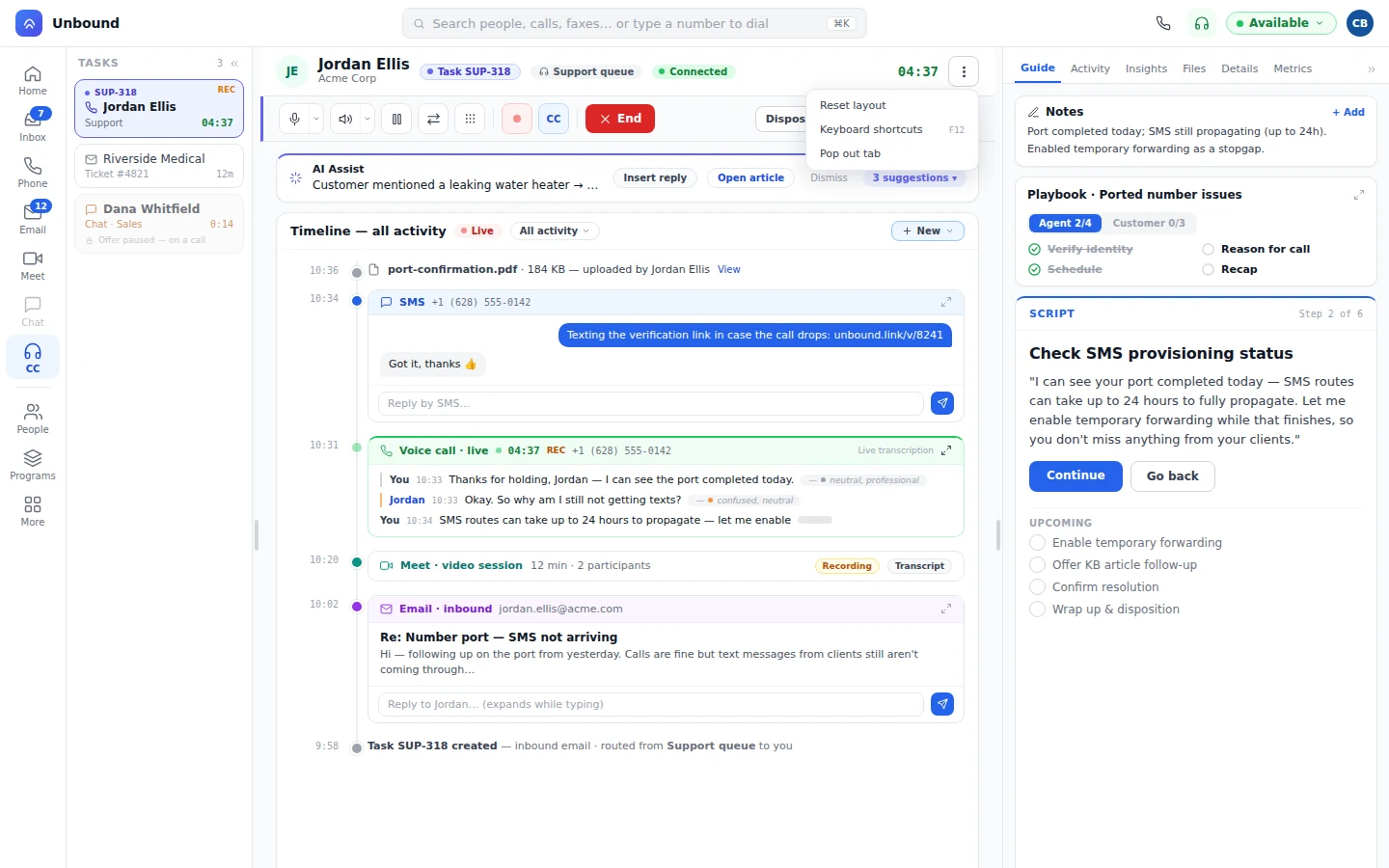
A bot hands a billing dispute to an agent with the transcript. The agent adds an email to the same task.
Human and bot conversations carry scores against the client’s playbook. QA spot-checks the low scores.
A bot follows one client’s script on that client’s queue, and its conversations are scored against the same playbook as the agents beside it. How bots work a client queue
Stand up a client from one admin console. Share agents across clients by skill, and keep each client’s routing, scripts, and systems apart.
Each client gets its own queues, skills, and service level target, managed from the screen supervisors already use.
QueuesAn agent skilled on three clients takes offers from all three. A call holds the agent, and chats and texts stack to your limits.
RoutingWorkflows put the client’s CRM, ticketing, or order data on screen at the right step, so agents skip the extra logins.
Connecting client systemsPlaybooks track each step of the client’s rubric during the call, for agents and bots alike. QA time goes to the calls that scored low, and the wallboard names who needs help this hour.
Enterprise clients send a security questionnaire before they send volume. SOC 2 and HIPAA, encrypted in transit and at rest, and every change logged with who made it.
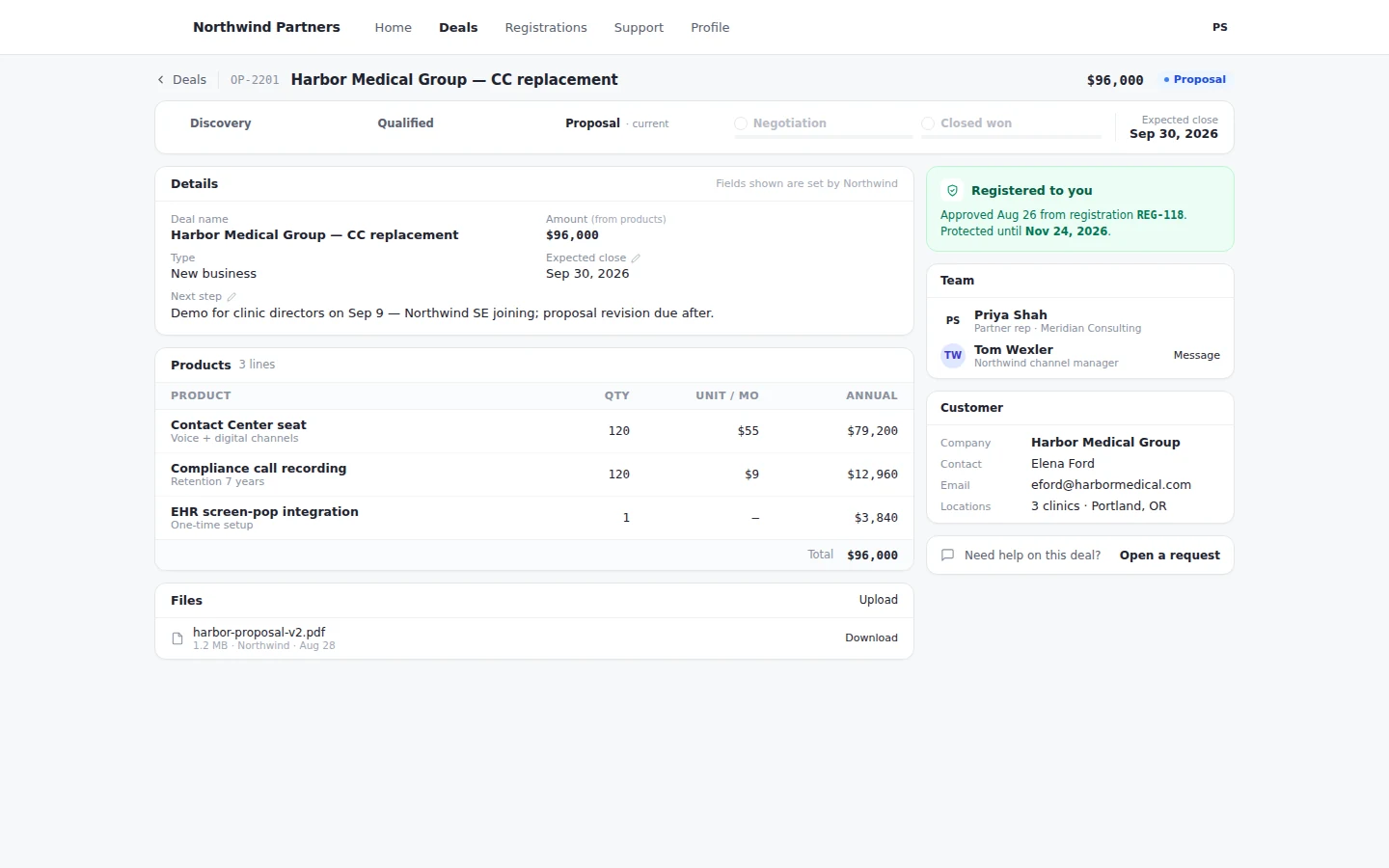
Sell Unbound to a client as their own phone system and contact center. A handoff between their staff and your agents carries the record, the transcript, and the notes. Register the deal in your partner portal, with conflict checks and approvals.
Yes. The bot gets the client’s queue and its own skills, works calls, chats, texts, and email by the same routing as your agents, and passes a conversation to an agent with the transcript and its notes.
The same way you QA agents. Bot conversations are scored against the client’s playbook and show up on the wallboard and reports next to your agents. A supervisor can listen live and take over.
Yes. Each account has its own database. If a client’s contract requires isolation, that client runs as its own account, in our cloud or onsite, with the same screens and workflows.
Through AI Workflows. Your team connects the client’s tools on a visual canvas, and agents and bots use them on live tasks. When a client system needs a custom connection, talk to us about it.
Open a free 30-day account with sample data, build one client’s queue and script, put a bot on it, and read the scores at the end of the week.