Playbooks and scripts
The words and goals you approved.
Agent goals steer the bot's side of the conversation, and scripts set how it opens, confirms details, and wraps up.
A bot answers calls, chats, texts, and emails from the queues you give it, works from your playbook and knowledge base, and brings in a person when it needs judgment.
It works inside the limits you set, and your managers review it the way they review the rest of the team.
100+ countries · Cloud, hybrid, or onsite · 1 to 1,000 seats
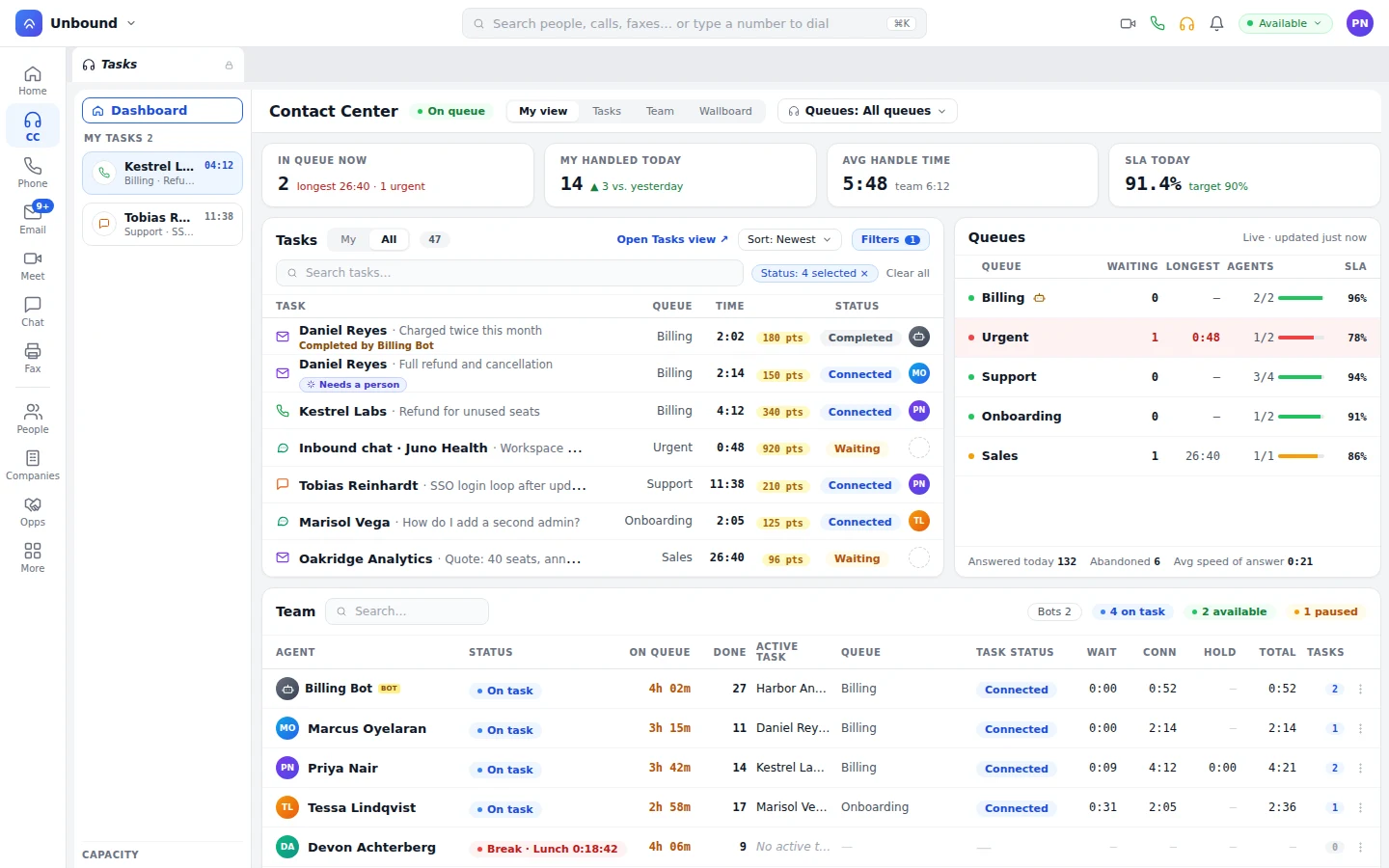
Each bot is a worker in the TaskRouter, with skills, languages, capacity, and a priority, so routing decides whether the next task goes to a bot or a person. Managers watch bots live, score them against the playbook, and see their handle time on the wallboard with the rest of the shift.
A bot gets work as an offer, by the skill, priority, and capacity rules everyone else gets.
If a task needs a skill the bot doesn't have, it goes to someone who does.
Run the after-hours queue on bots, or add one to a busy daytime queue.
A bot can invite a person into a live task, just like an agent can.
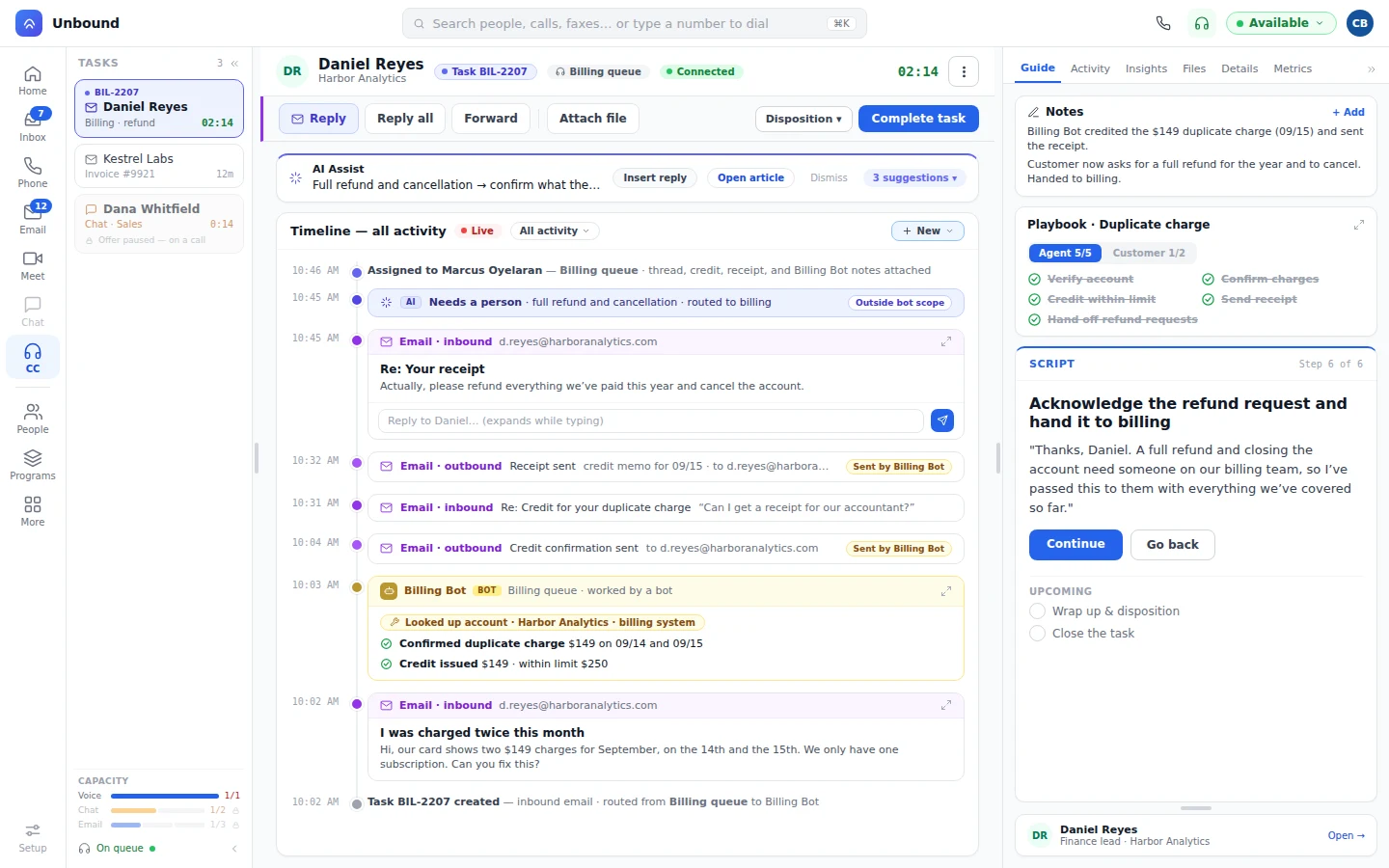
Here's how one billing email goes, from the bot's first read to the person who finishes it.
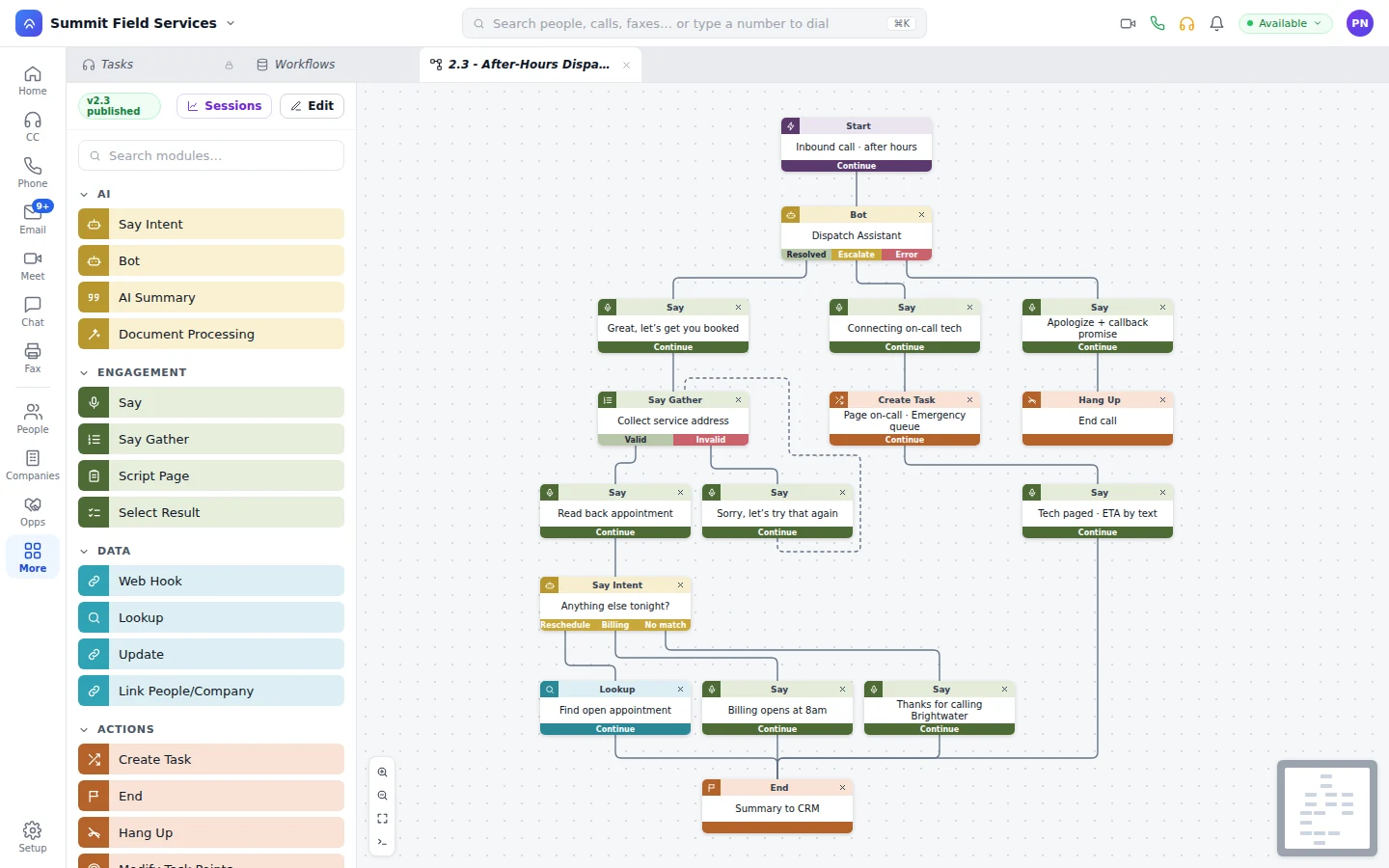
The Bot module sits in a workflow with three exits. Resolved means the bot finished the job. Escalate transfers the task to a queue or a named person by skill, or opens a task for the on-call team. Error is the fallback you design.
Agent goals steer the bot's side of the conversation, and scripts set how it opens, confirms details, and wraps up.
The bot answers from your knowledge base articles, so when you update one, its answers change too.
Mid-conversation, a bot can pull account details and recent charges, issue a credit, or collect a payment. On another queue, a bot confirms appointments the same way.
Edits reach customers only after someone with publish rights publishes them, and every session records the path the conversation took.
Managers run bots like people on the floor: watched live, scored, and reviewed. A bot's numbers sit on the wallboard beside the rest of the team.
A bot usually gets a narrower scope than an agent: a few queues, a few tools, a few record types. Its credit limit is one of those settings: a credit inside the limit goes through, and one over it goes to a person before any money moves. Some requests you can keep off its plate entirely, so full refunds and cancellations always go to a person. It all runs under the same permission sets and security settings as your team, so there's no second admin console to keep in step.
Who can edit and publish a bot, and the limits it works within, like the largest credit it can issue and the requests it hands to a person.
Record-type permissions and workflow policies decide which records a bot can read and change.
You decide what gets recorded on the conversations a bot works.
Workflow sessions keep each bot conversation's run history, and a bot's record changes are logged alongside your team's.
Voice, chat, SMS, and email tasks on the queues you assign it. The TaskRouter offers it work by skill, language, capacity, and priority, just as it does for your agents.
It hands the task to a person. Say a customer the bot just credited writes back asking for a full refund and to cancel the account. The bot doesn't try to settle that: the AI reads it as a request that needs a person and routes it to your billing team, with the conversation, the credit, the receipt, and the bot's notes attached, so the customer doesn't start over.
The bot's playbook, scripts, or knowledge, or the tools and permissions that set what it can do. Each change goes out as a new version, and the bot doesn't change itself in between.
The MCP tools connected in its workflow, like an account lookup or payments, plus whatever records its permission set allows. Adding a tool is a workflow change, so customers only see it after someone with publish rights publishes it.
Start a 30-day trial with sample data loaded, put a bot on a queue, call the number, and watch it work from the team view. Then point it at your own playbook.