← Team
Team

Run the rollout on one board. Bring the customer onto it.

Start the rollout from your template, give every item an owner and a due date, and log your work against it. Customers and partners handle their own items from their portal.

100+ countries · Cloud, hybrid, or onsite · 1 to 1,000 seats
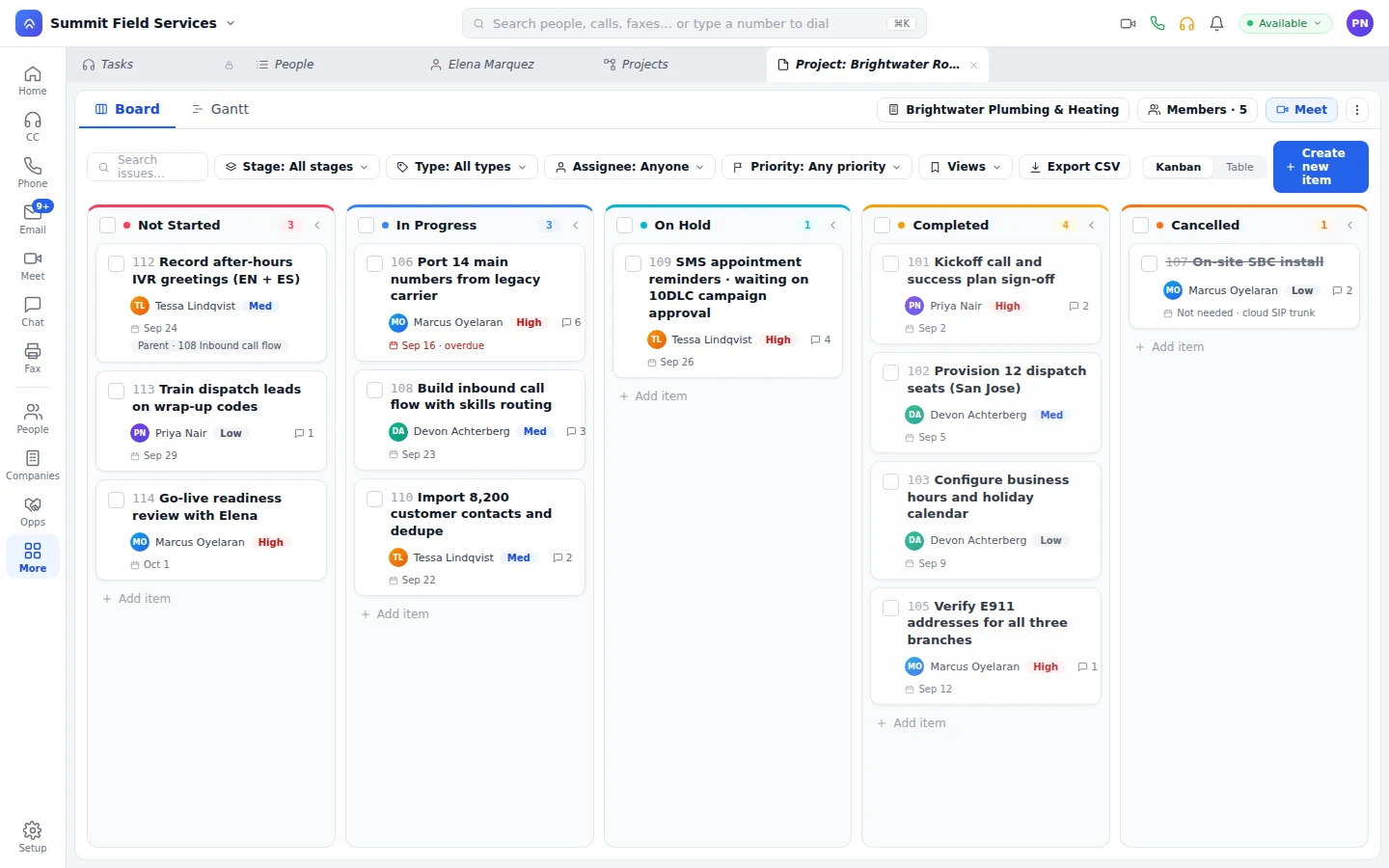
Project board with items by stage, owner, priority, and due date
Items sort by stage, each card carries owner and priority, and a late item gets flagged.
Templates

Every project starts from your playbook, not a blank page.

Onboarding, installs, rollouts, and internal programs start from a template with the items your team runs every time, so the work starts the day the project opens.

Onboarding

Customer onboarding.

Every new customer gets the same steps, with owners and dates already set.

Internal

Internal programs.

Track rollouts, hiring, and process changes on the same boards as customer work.

External

Projects with partners.

Joint work with a partner, who works the board from their own portal.

Board, table, and Gantt

Three views of the same items, with owners and dates.

Switch between board, table, and Gantt, with owners, due dates, and the work logged against each item. Change something in one view and you'll see it in all three.
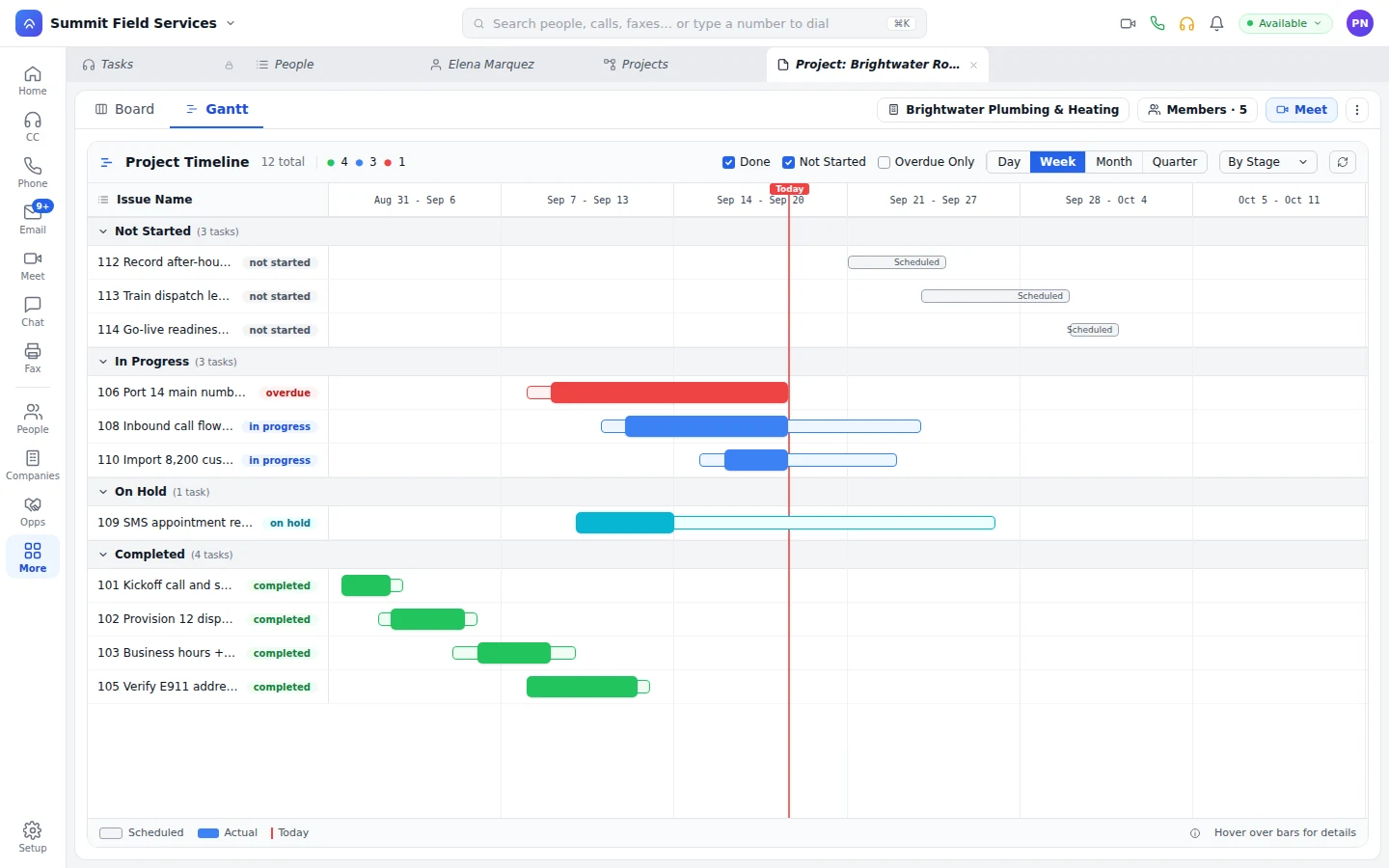
Gantt timeline of the project items by stage
Today's items show up front, a late item turns red, and the view switches by day, week, month, or quarter.
Workflows

An item moves. The next step happens without a chase.

Project events fire workflows built on the same canvas that answers your phones and runs your journeys. Your ops team builds them, no developer needed.

  • Send the email. When an item's done, the customer gets the update.
  • Update the record. The customer, the deal, or anything else changes when the project does.
  • Create the next item. Finish one step and the next one opens, with an owner and a date.

When an install item moves, the workflow hands the next step to a bot that calls or texts the customer to confirm the date. The bot writes the answer back to the record, and nobody on your team has to chase confirmations. What else bots do
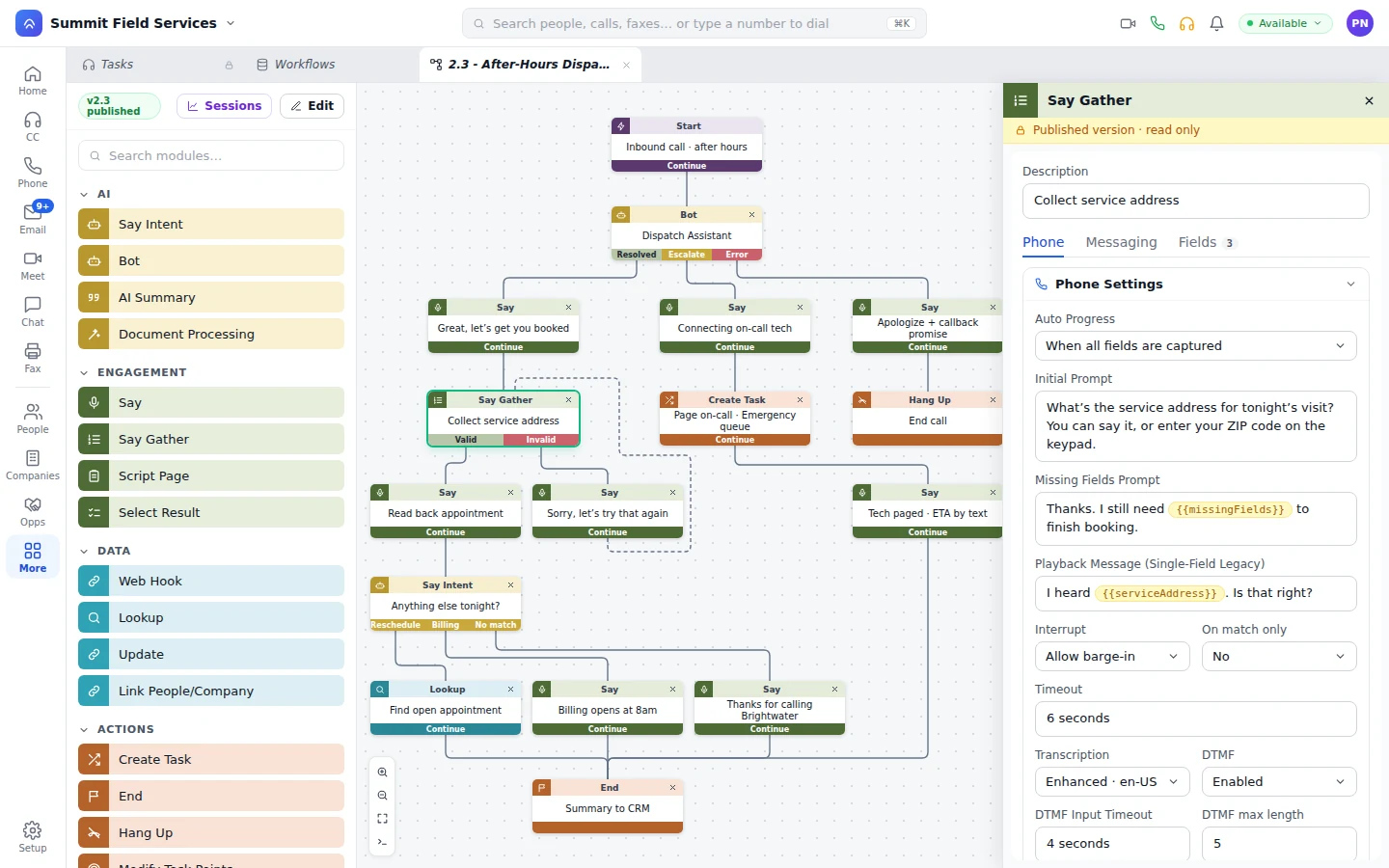
Workflow modules for messages, record updates, and tasks
A step can say to call or text the customer, update the record, or create the next item.
From the deal

Close the deal. Bring the customer onto the board.

Projects live in the CRM beside people, companies, and deals, so onboarding can start from a template the moment the deal closes.

Before

  • Onboarding starts from a blank spreadsheet after the handoff.
  • The customer emails to ask where things stand.
  • Partner work lives in a shared doc outside your CRM.
  • The project team digs through inboxes for the history.

On Unbound

  • Onboarding starts from your template the moment the deal closes.
  • The customer works their onboarding items from the customer portal, next to their requests and the knowledge base.
  • Partners work joint projects from the partner portal, next to their registered deals and tickets.
  • The calls, chats, meetings, and tickets about that customer are on the record the project team opens.
Portals for customers, partners, and leads
Questions

The usual questions about projects.

Can a bot act when a project item moves?

Yes. Put a bot step in the workflow the project event fires, and the bot makes the call or sends the text.

Can customers and partners work on our projects?

Yes. Invite them, and they work their items from their customer or partner portal while your team works the board.

Which views do projects have?

Board, table, and Gantt. They're three views of the same items.

Do projects connect to the CRM?

Yes. They sit right beside people, companies, and deals, so a closed deal can kick off onboarding.

Run your next rollout on a board for thirty days.

You'll get an account with sample data already loaded. Start a project from a template, move an item, and watch the workflow take the next step.

With your consent, we use cookies for analytics, personalization, and advertising. Read our privacy policy for details.