Build the data model your business actually runs on.
A cloud database on the same platform that runs your phones and your queue. Custom objects work out of the box, or grow into a highly available, event-driven database. Layouts give your team the screens to manage the data, triggers send notifications, call any platform's API, or update other records, and access goes down to the record type.
100+ countries · Cloud, hybrid, or onsite · 1 to 1,000 seats
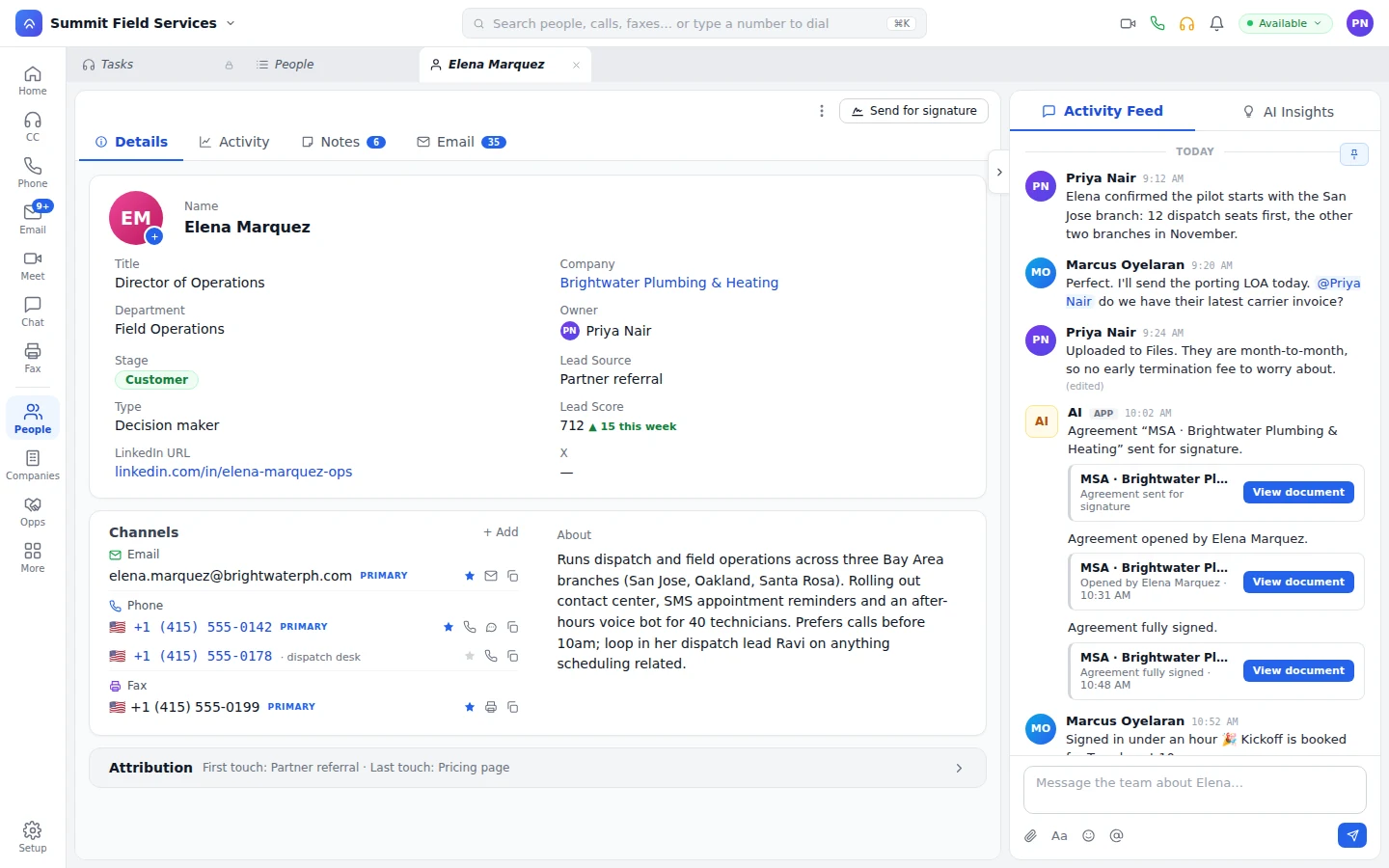
If your business runs on it, it's an object.
Properties, policies, equipment, contracts. Create an object in Setup and it gets list and record pages from its layouts, just like people and deals. Add fields to any object, including people, companies, and opportunities. The dynamic layout builder turns one object, or several related ones, into any interface your team needs: detail pages, compact views, admin screens. Publish a layout, roll it back. Each team gets a record type with its own fields, stages, and access.
Triggers fire workflows. Scripts are normal JavaScript.
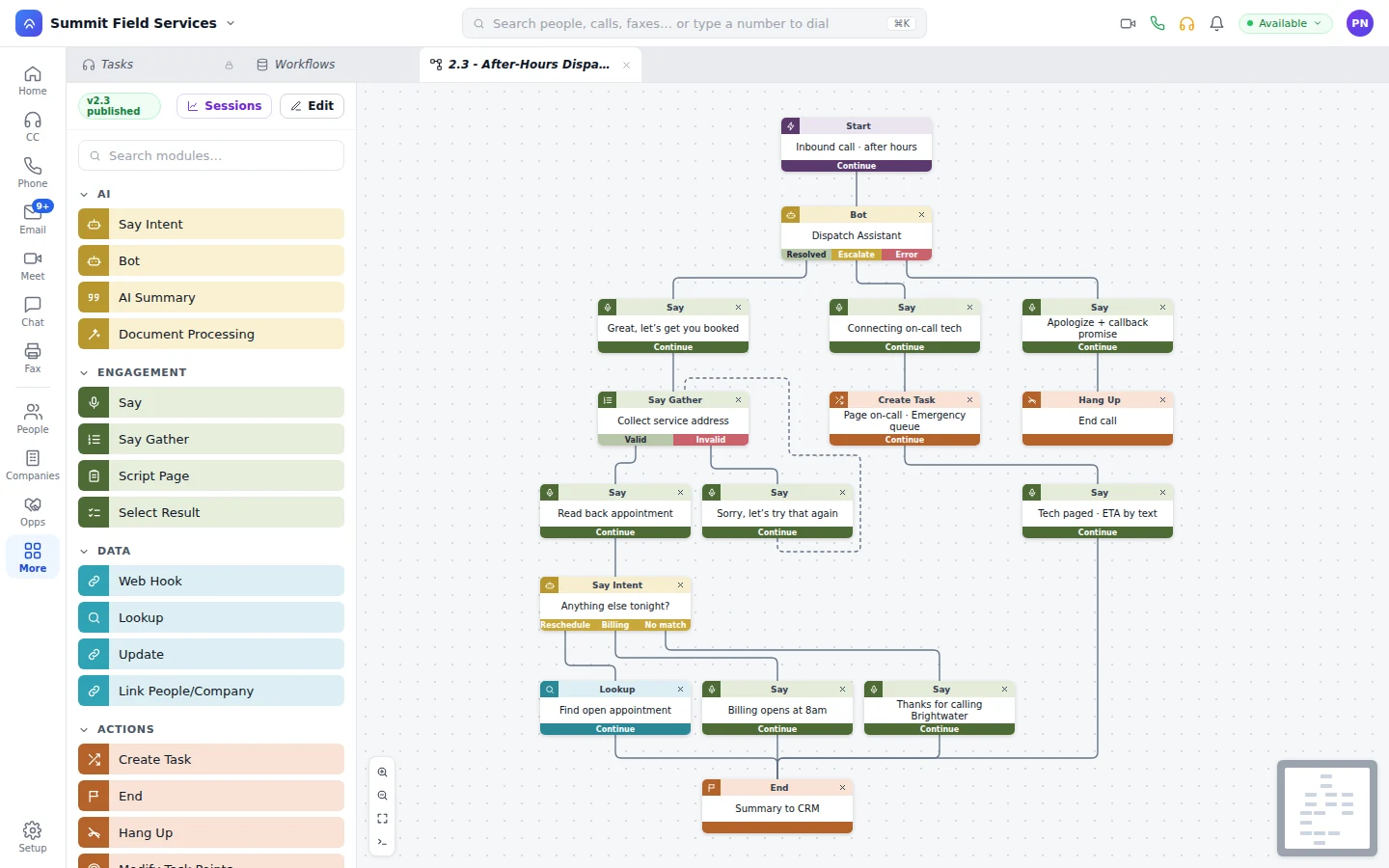
When a record changes, your workflow takes it from there. It can update other records, message or call the customer, run a script, or tell another system.
Triggers on any object.
Set a trigger on the object and the change starts the workflow.
Normal JavaScript.
When a point-and-click step isn't enough, write the logic in JavaScript.
Versioned and published.
Every workflow has versions and a publish step, and Sessions keep the history of each run.
Build your application on Unbound's database. Query it in UOQL.
Custom objects and UOQL, the Unbound Object Query Language, are enough to build an application with Unbound as its database. Your admin screens live in Unbound, and replication, latency, and backups are ours to worry about, not yours. UOQL is SQL compliant, so anyone who knows SQL reads and writes it right away. Permissions run from the object down to the record type, so opening an object to a team doesn't open all of its records.
- UOQL
SQL-compliant queries over the whole object store, under the same security as the rest of the platform.
- Dynamic layout builder
Drag fields, lists, and related records from one or more objects into the interface you want, without writing a screen.
- Point and click
Build reports in the builder, and open the query behind them when you want to edit it.
- Record-type permissions
Read, write, and update rights by record type, bundled into permission sets for groups, users, and bots.
- Policies
Write policies in the designer or as raw JSON. OAuth 2.0 issues the tokens for users and APIs.
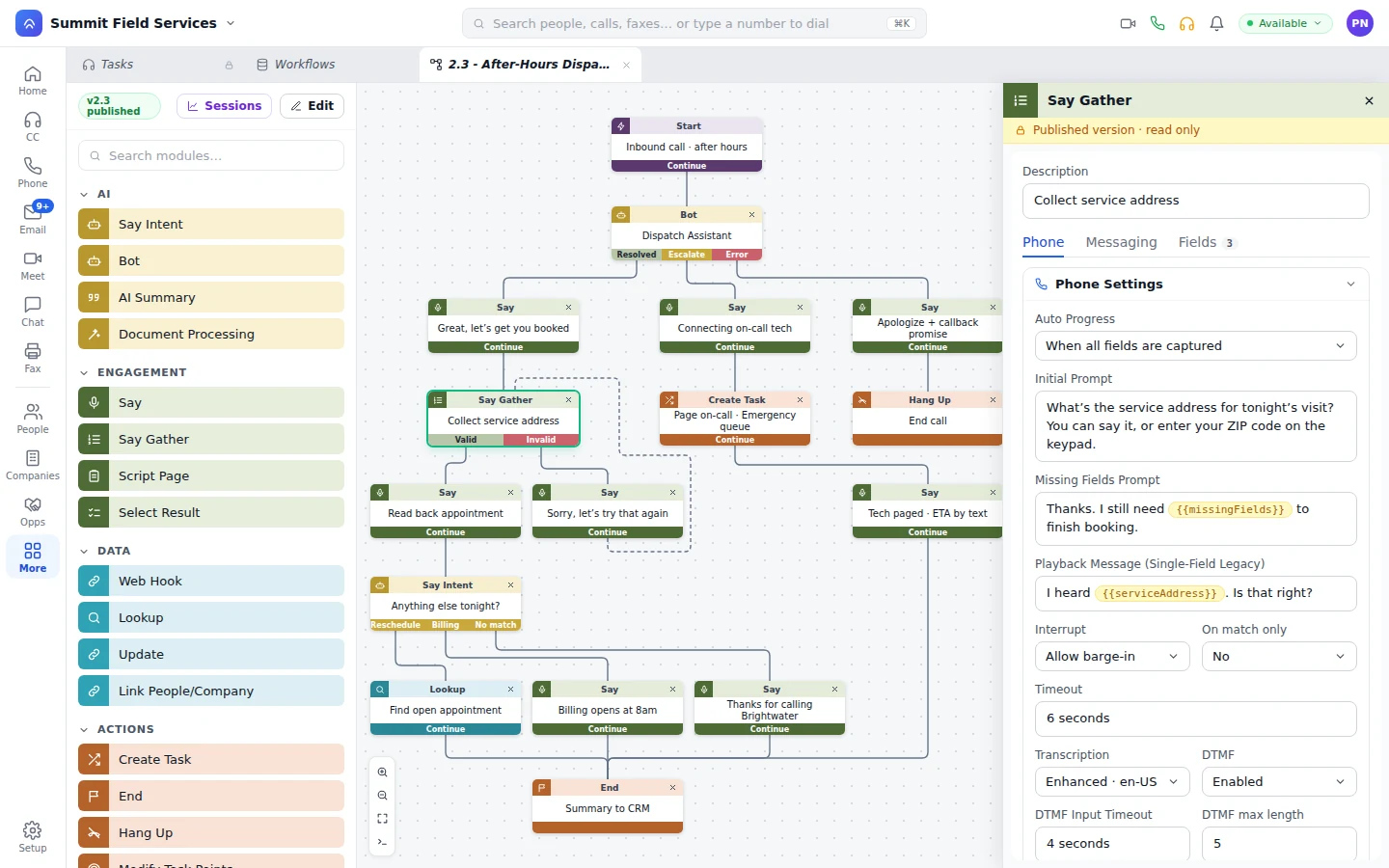
Your objects as MCP tools.
Build an MCP tool in a workflow, and bots, teammates, and outside platforms can read and write your objects under your permissions. You don't need a developer to build one.
Built in Workflows.
An MCP tool is a workflow, versioned and published like any other.
On live tasks.
Reps and bots use the tool mid-conversation to pull a record, confirm details, or take a payment.
Outside MCPs too.
Bring external MCP servers into a workflow when the job needs another system.
On a live task, a bot uses the MCP tools you built to read a custom object and write the answer back. It holds a permission set, and it can only change the record types in that set. How bots work on Unbound
What buyers ask about objects and security.
Can Unbound Objects replace the custom objects in our current CRM?
Yes. Custom objects, custom fields, layouts, record types, and triggers cover the data model and the logic, with security by object and by record type on top.
Do we have to learn a proprietary language?
No. Triggers fire workflows, and scripts are normal JavaScript. Queries run in UOQL, the Unbound Object Query Language, which is SQL compliant, or in a point-and-click builder.
Can we build our own application on Unbound?
Yes. Custom objects are the tables, UOQL is the query language, the dynamic layout builder draws the screens across any related objects, and triggers are the logic. You get a highly available, event-driven database without running replication, backups, or a second admin console yourself.
Who can see which records?
Rights are set per object and per record type: read, write, and update. You write policies in a designer or as raw JSON, and OAuth 2.0 issues tokens for users and APIs.
Can AI agents read and write our custom objects?
Yes, through MCP tools you build in Workflows. The bot only touches the record types its permission set allows, and every edit it makes is logged and auditable.
Model one thing your business runs on.
Open the 30-day trial with sample data loaded, create a custom object, build its layout, and set a trigger that texts you when a record changes.