Workflows
Built and changed by your team.
Greeting, hours, and escalation rule live in a workflow per account, built on a visual canvas that also connects the client’s tools.
Workflows and connectionsYour operators go from a dental emergency to a plumbing dispatch to a law firm intake, back to back. Hand the routine calls to a bot, and each account keeps its own greeting, script, and escalation rule.
100+ countries · Cloud, hybrid, or onsite · 1 to 1,000 seats
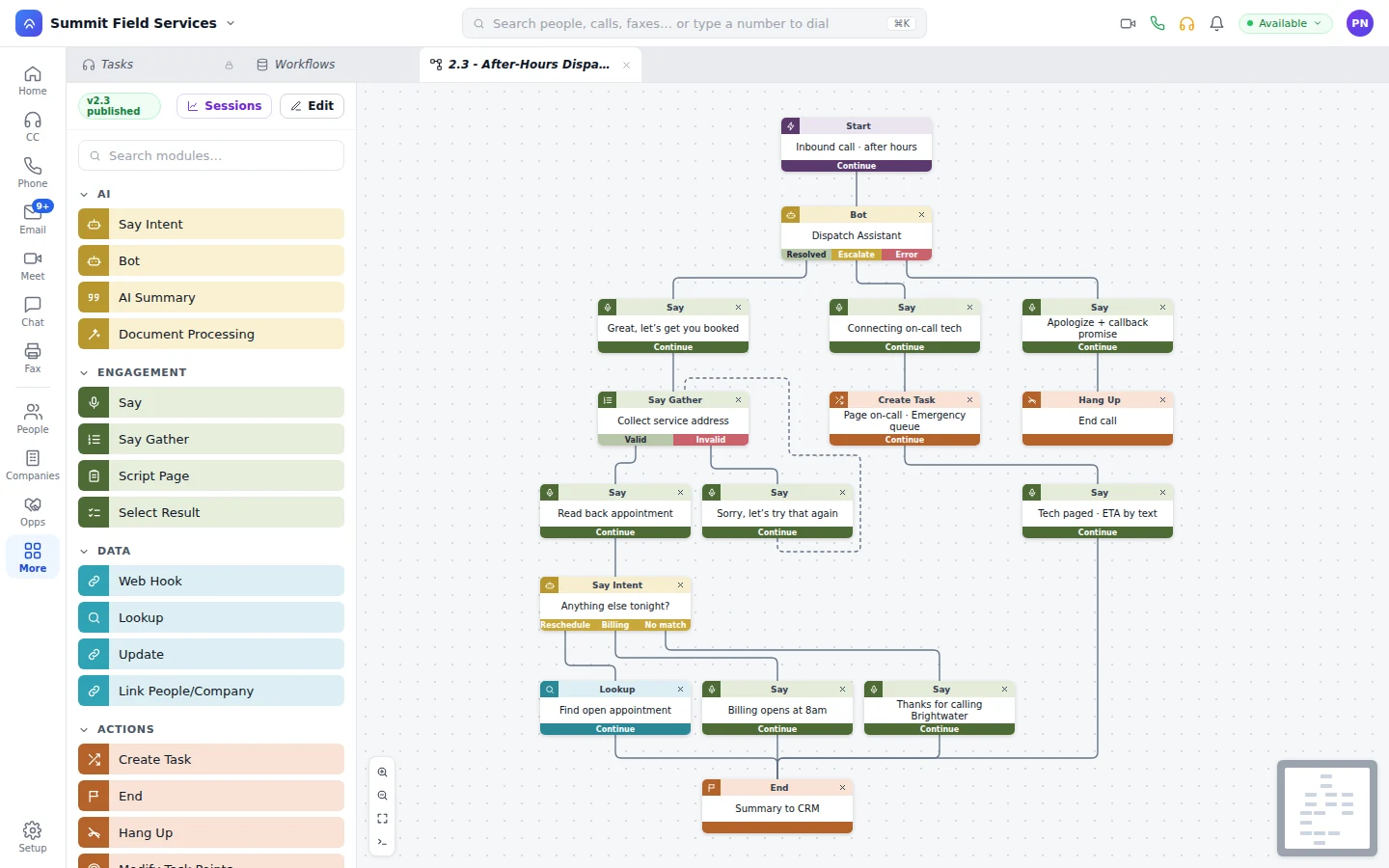
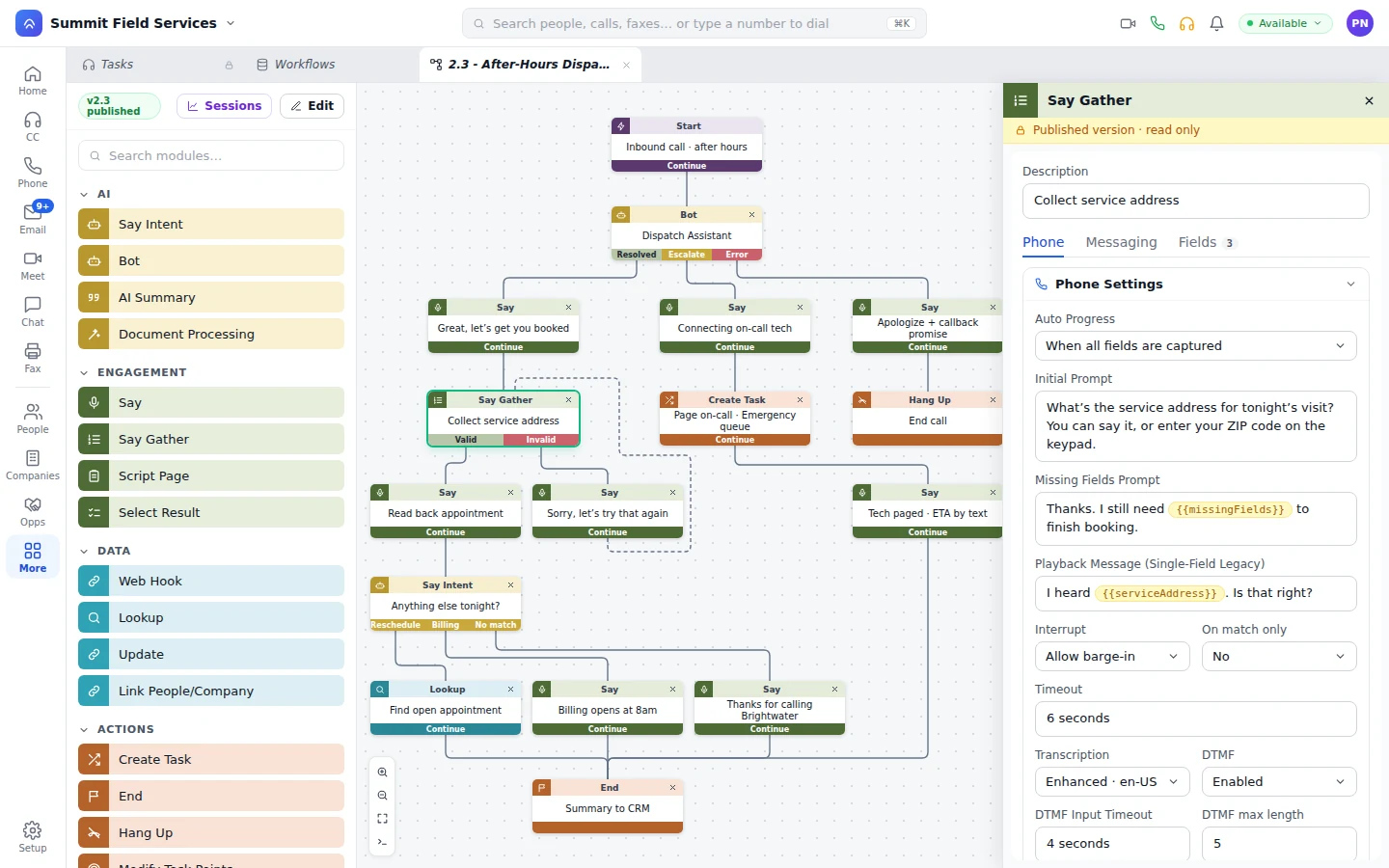
The dialed number loads that account’s greeting and rules. The bot moves a cleaning and texts the confirmation.
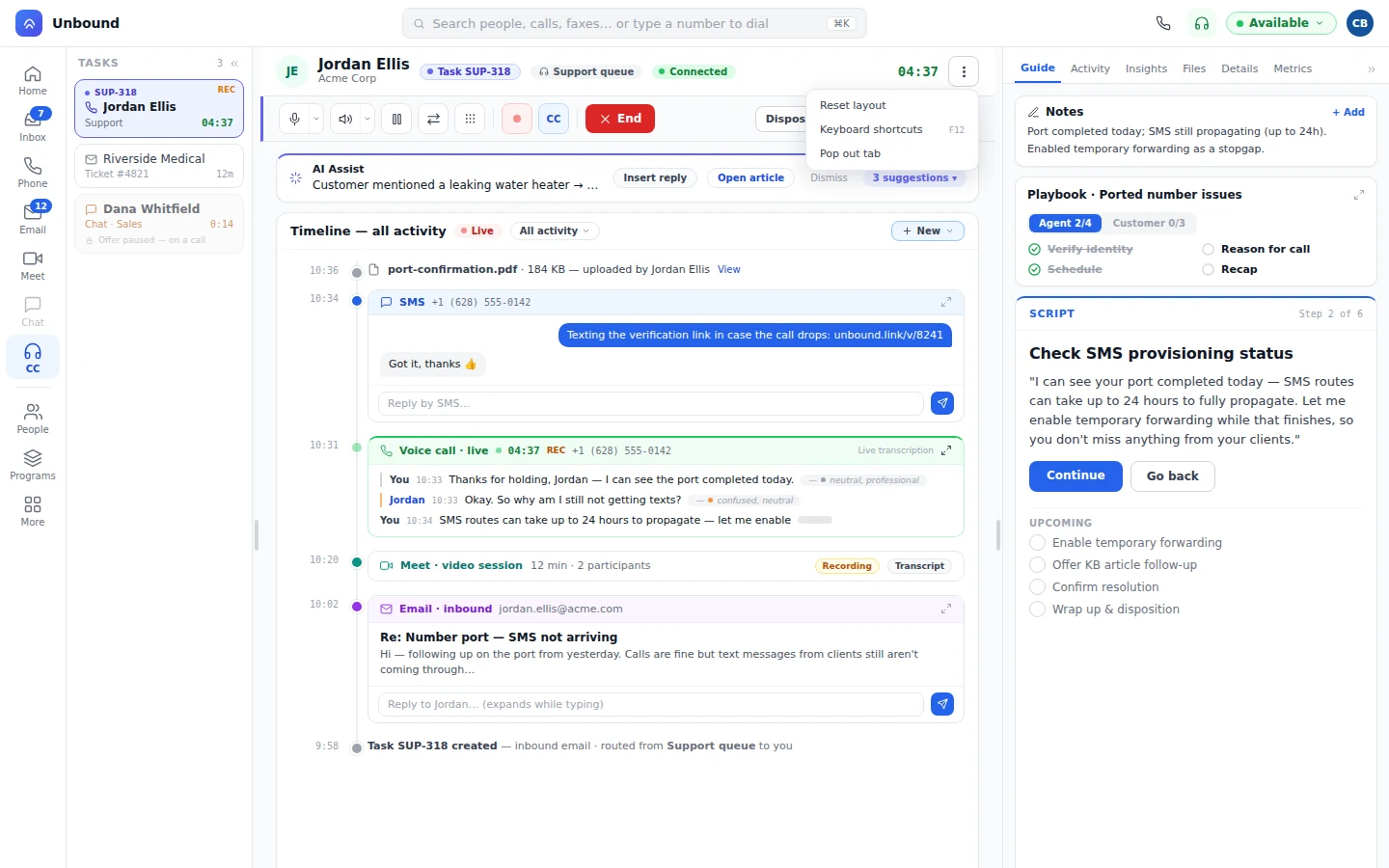
A caller reports an active leak. The bot texts the on-call plumber and hands the caller to an operator.
Each offer arrives with the account name, the script as a playbook, and the client’s data at the right step.
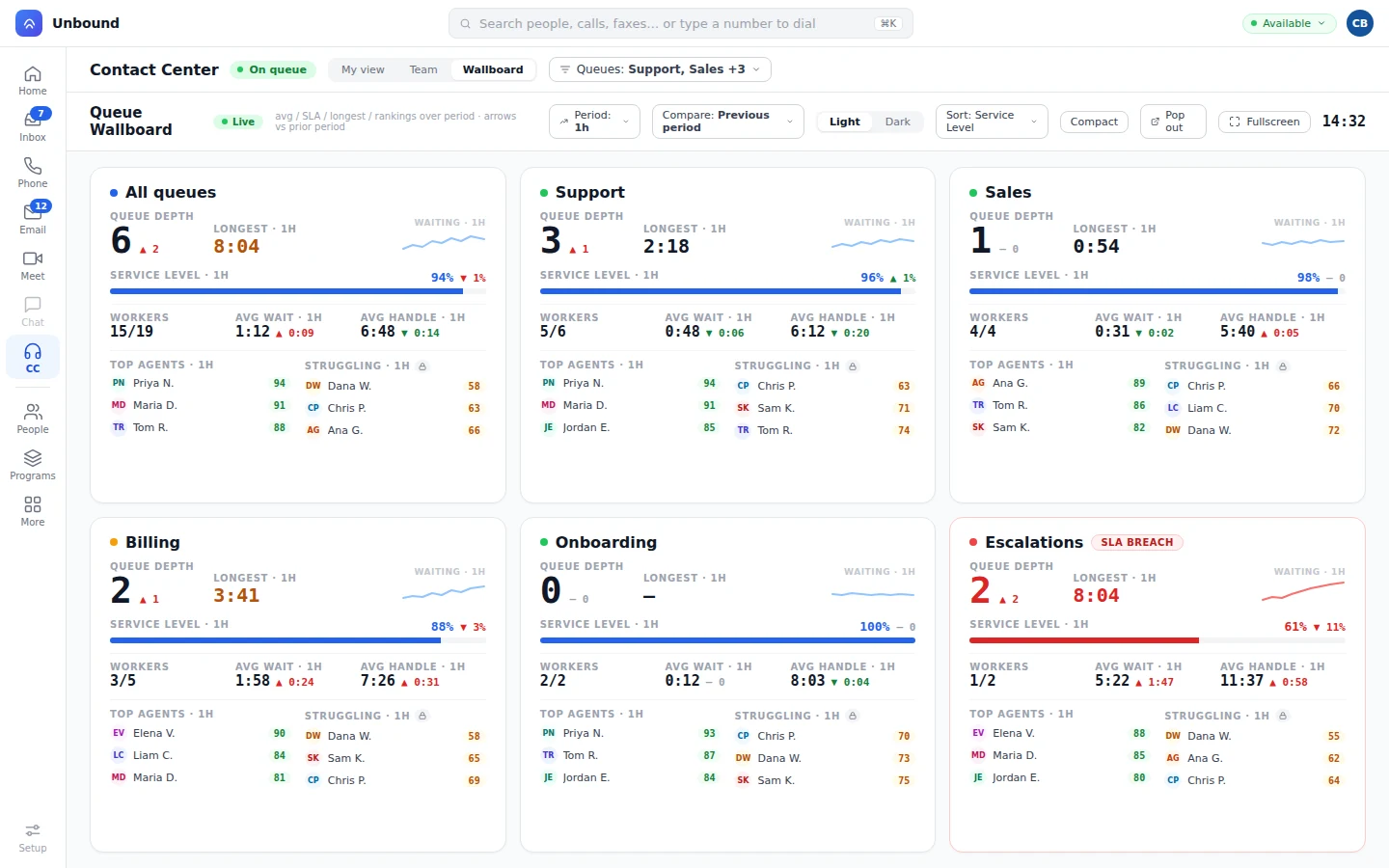
The supervisor scores bot and operator calls side by side. Each client sees its night in a portal under your brand.
A bot on an account’s queue uses that account’s greeting, script, and knowledge. When a call hits the escalation rule, the operator gets the caller and the transcript. How bots answer for your accounts
Set it once per account and it runs that way on each call.
Greeting, hours, and escalation rule live in a workflow per account, built on a visual canvas that also connects the client’s tools.
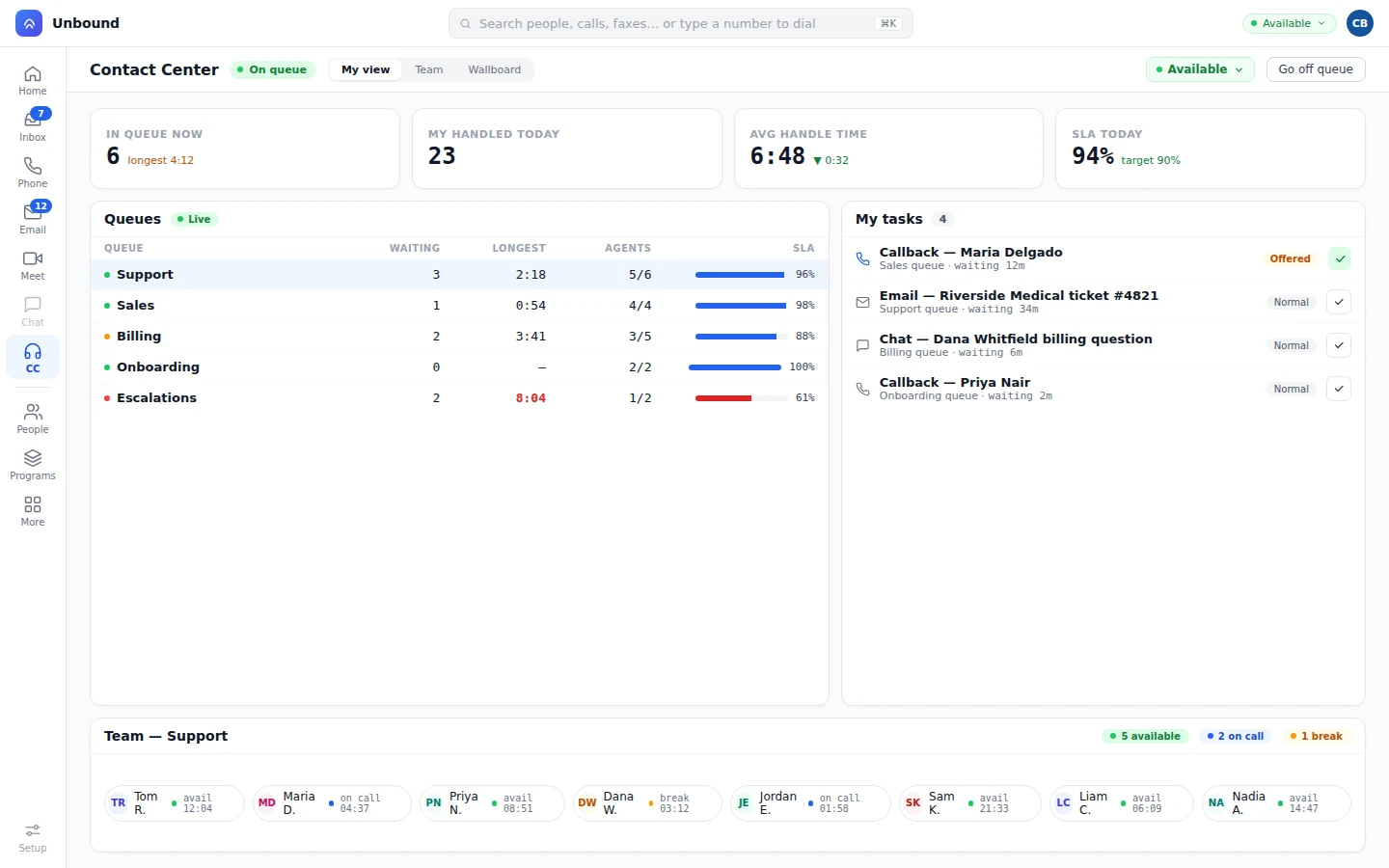
Workflows and connectionsGive a large account its own queue and group smaller ones, with wait time and service level for each.
QueuesMedical-trained operators get medical accounts. Spanish speakers get Spanish callers. An urgent call moves to the front.
RoutingEach account’s script is a playbook that tracks the steps while the operator talks and flags a required one that’s still open. Calls, transcripts, and notes file on the client’s company record, so any operator sees what happened last time. Whoever runs your front desk works from the Operator panel instead: every account and queue as a tile, with a live call dropped onto one to hand it off, announced first or straight through.
Your clients sign in to a portal on your domain, in your colors, and see how their night went without waiting on you.
Yes. Each account’s workflow sets its greeting, hours, and hand-off condition, from any symptom mention to any request the bot shouldn’t answer.
Bot calls are recorded, transcribed, and scored like an operator’s. A supervisor sees it, tightens that account’s script or escalation rule, and the next call runs the new rule.
Yes. Bots show on the same wallboard and team view as operators. A supervisor listens in, coaches inside the conversation, and steps in on the call.
Yes. Unbound meets HIPAA requirements for medical accounts, and SOC 2 across the platform. Calls, transcripts, and messages are encrypted whether they’re stored or on the move, access is set by role, and changes land in an audit log.
Open a free 30-day account with sample data, load one account’s script, and listen to the bot handle a call before you move any client over.