← Contact center
Contact center

Keep every queue moving, on every channel.

A queue holds calls, chats, texts, emails, and tasks under one set of rules. While callers wait, they can ask for a callback or leave a message instead of sitting on hold.

Admins build queues in Setup and see each one's service level against the target they set.

100+ countries · Cloud, hybrid, or onsite · 1 to 1,000 seats
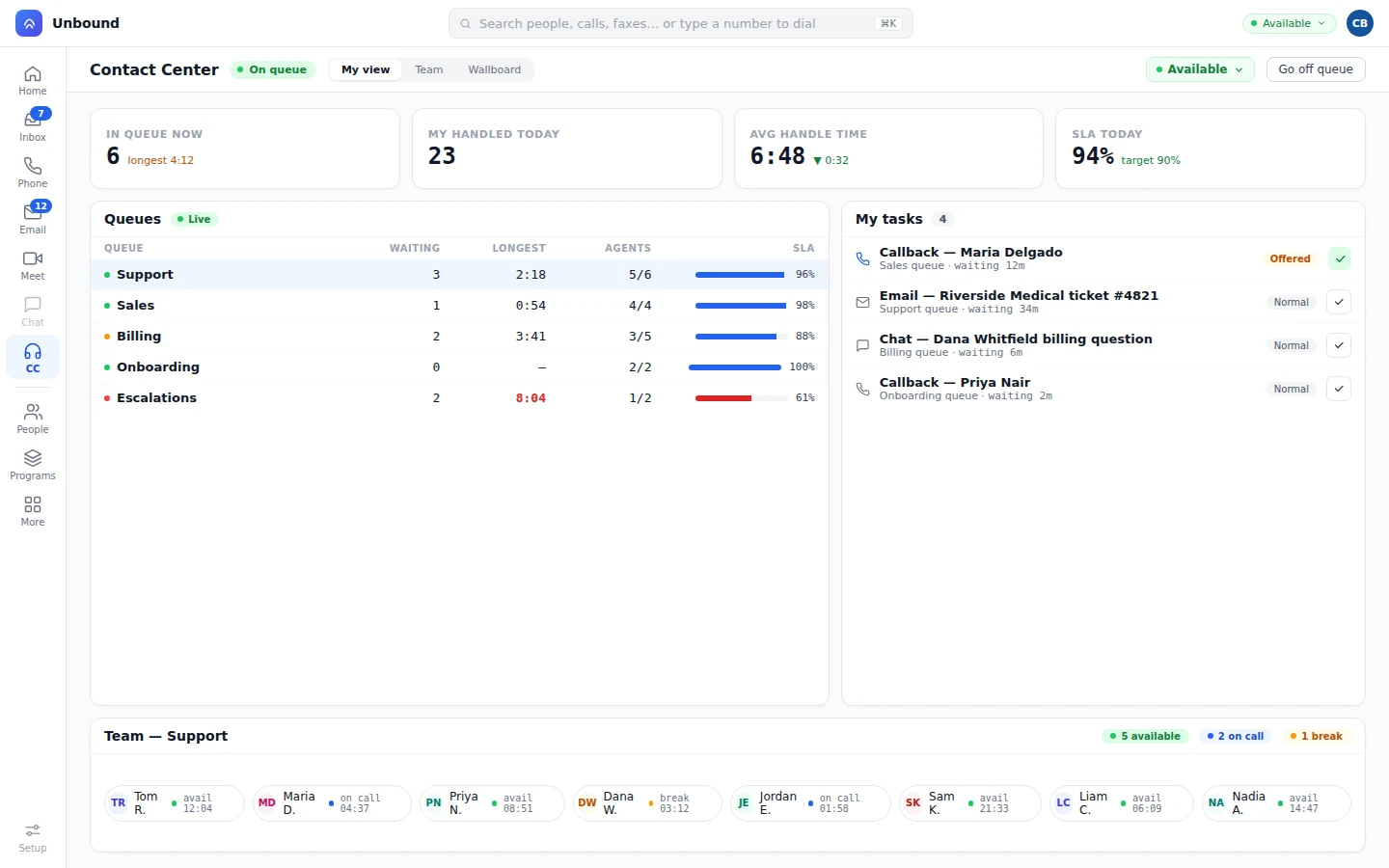
Live queues with waiting, longest wait, agents, and service level
Waiting shows queue by queue, with the longest wait turning red when it runs long against the service-level target.
Queues and skills

Queues and skills live in one Setup console.

Admins build queues and skills in Setup, next to phone numbers, users, and workflows. There's no second admin tool for the contact center.

Queues

Any channel, one queue.

One queue can hold voice, chat, SMS, email, and task work side by side.

Skills

Skills on the queue.

Skills decide who can take the work waiting in each queue.

Scope

Work the queues you own.

Agents and managers narrow the contact center down to the queues they work.

Target

Service level against target.

Every queue shows its service level next to the target you set for it.

Wait policies

Give callers a way out of the hold line.

A wait policy decides what a customer can do while they wait.

  • Callback. The caller asks for a callback instead of holding, and it routes as a task.
  • Message. The caller leaves a message and gets on with their day.
  • Business hours. Time Control in AI Workflows sends contacts to the right queue for the time of day.

An after-hours queue can run on bots that book the job, page the on-call tech, or promise a callback. By day, bots and people can share it. How bots work
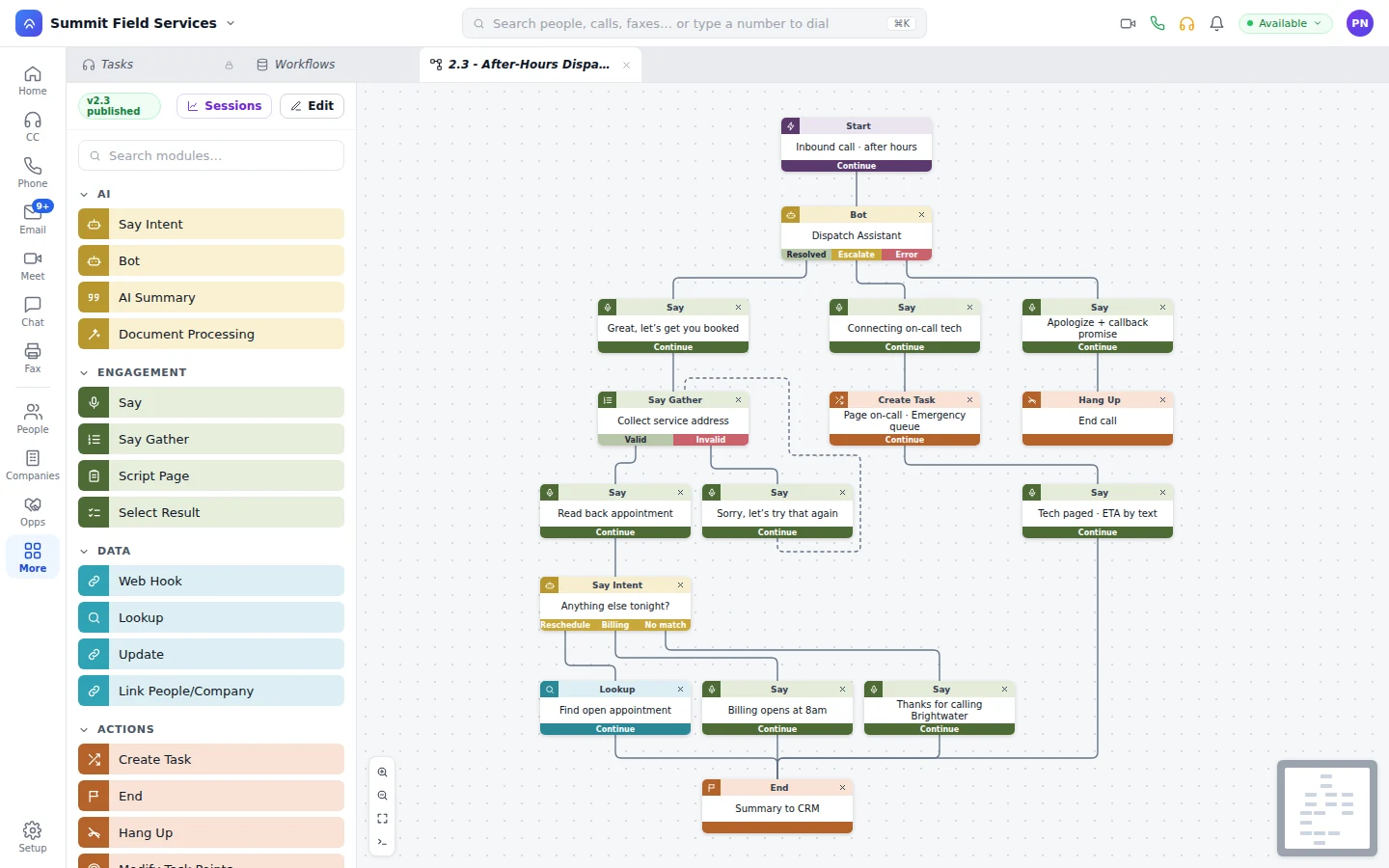
After-hours workflow with a callback promise and an on-call task
A callback promised after hours becomes a task for the on-call queue.
Callbacks

Callbacks route like any other task.

The caller waits, takes a callback, an agent accepts, and the call goes out.

A callback task offered to an agent
A callback waits as a task until it's offered to an agent with room.
  1. Offered. While the caller waits, the queue offers a callback.
  2. Queued. The callback waits its turn as a task, with skills and priority like anything else.
  3. Accepted. An agent with room accepts it.
  4. Dialed. The customer's phone rings as soon as the agent accepts.
Live view

See the queues live, next to the team.

Managers watch the queues update as work moves, with each person's status right beside them.
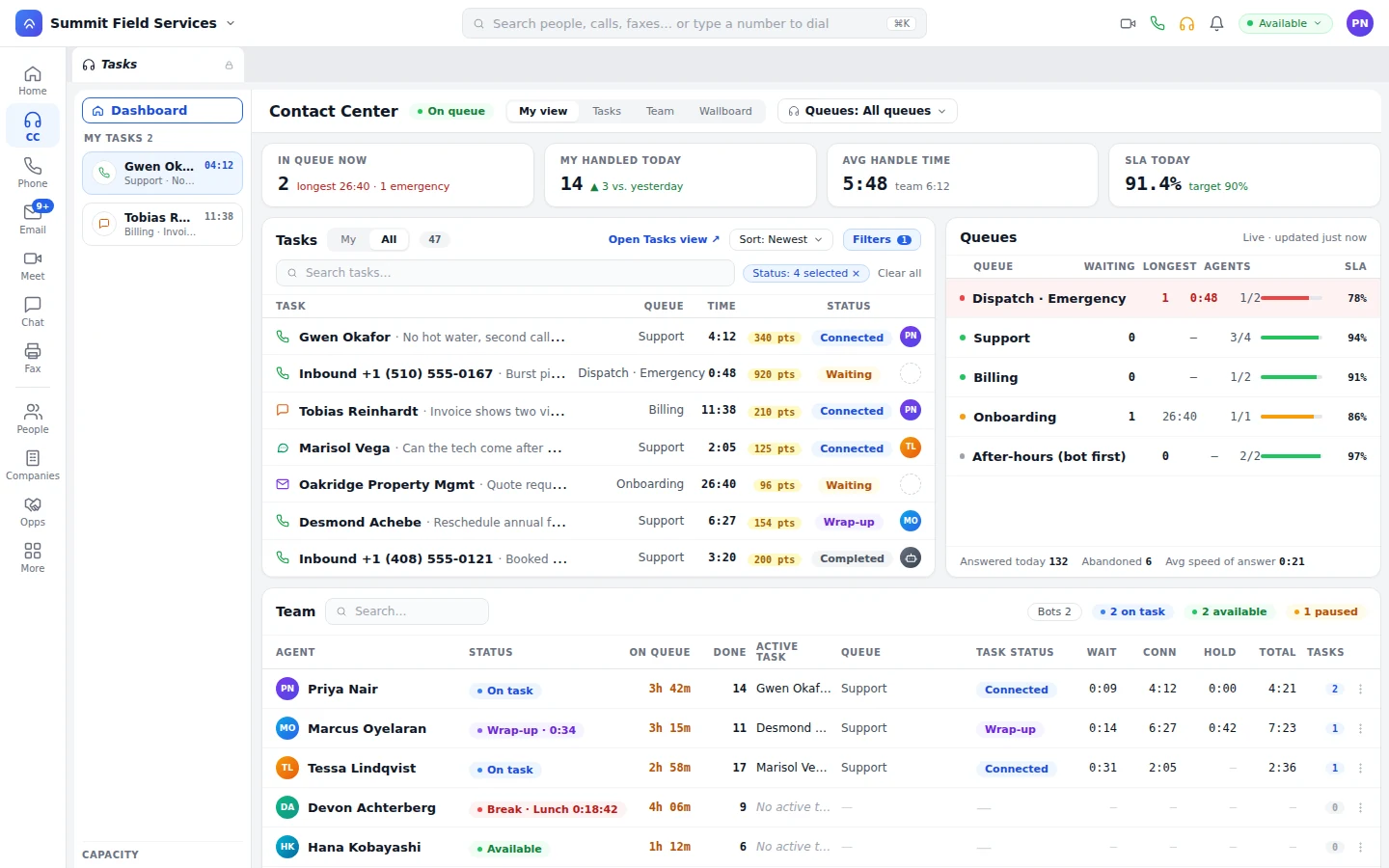
  • Queues. Waiting count, longest wait, agents on queue, and SLA, queue by queue.
  • Wrap-up. Wrap-up time is tracked on the task, so the work after the call counts too.
Depth, service level, and agent rankings on the wallboard
Queues panel with an emergency queue breaching and an after-hours queue
The emergency queue breaches while the after-hours queue lets a bot answer first. Answered, abandoned, and speed of answer all show for today.
Questions

Common questions about queues and callbacks.

What can a caller do instead of waiting on hold?

Ask for a callback, or leave a message. The queue's wait policy sets which of those it offers.

How does a callback work?

The callback holds the caller’s place as a task, with its skills and priority. When an agent accepts it, the call goes out to the customer.

Can one queue take calls, chats, texts, and emails?

Yes. Every channel shares the TaskRouter, so a single queue can mix voice, chat, SMS, email, and task work.

Can a queue change by time of day?

Yes. A Time Control step in AI Workflows sends contacts to the queue that fits the hour, like an after-hours queue.

Request a callback and watch it route.

Start a 30-day trial with sample data loaded, look at the live queues, ask for a callback, and accept it as the agent. Then build a queue of your own.

With your consent, we use cookies for analytics, personalization, and advertising. Read our privacy policy for details.