Work the account, not a pile of contacts.
A company record links the people who work there, carries its own feed and notes, and is laid out the way your team sells. Calls, texts, and email with anyone at the account show up on the person and the company.
Before the renewal call, the account manager opens the company and sees who called in this month, what they asked, and what the team wrote about it.
100+ countries · Cloud, hybrid, or onsite · 1 to 1,000 seats
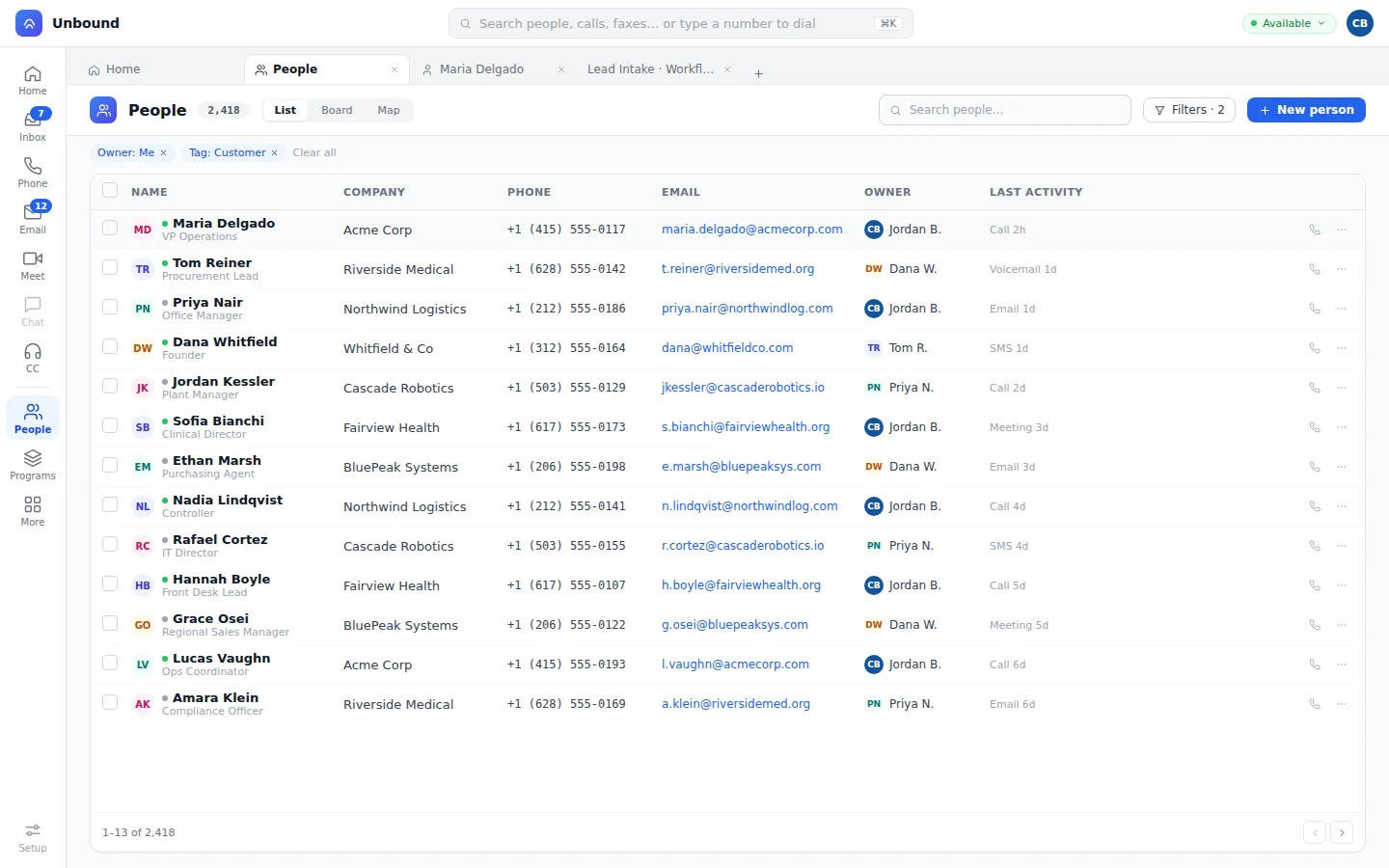
Every person links to the company they work for.
The company shows on every person row as a link to its record. Workflows attach callers and form fills to the right company, so nobody types the account name twice.
Company on every row.
One click takes the rep from the contact to the account.
Company types.
Define the kinds of companies you work with as company types in Setup.
Your layout, your fields.
Your admin builds the company page from a layout, with record types that give each team its own fields.
When someone from an account calls, texts, or chats, a bot finds them and links them to their company with the Link People/Company step. If the account needs judgment, a rep picks up the task with the company already open. How bots work on Unbound
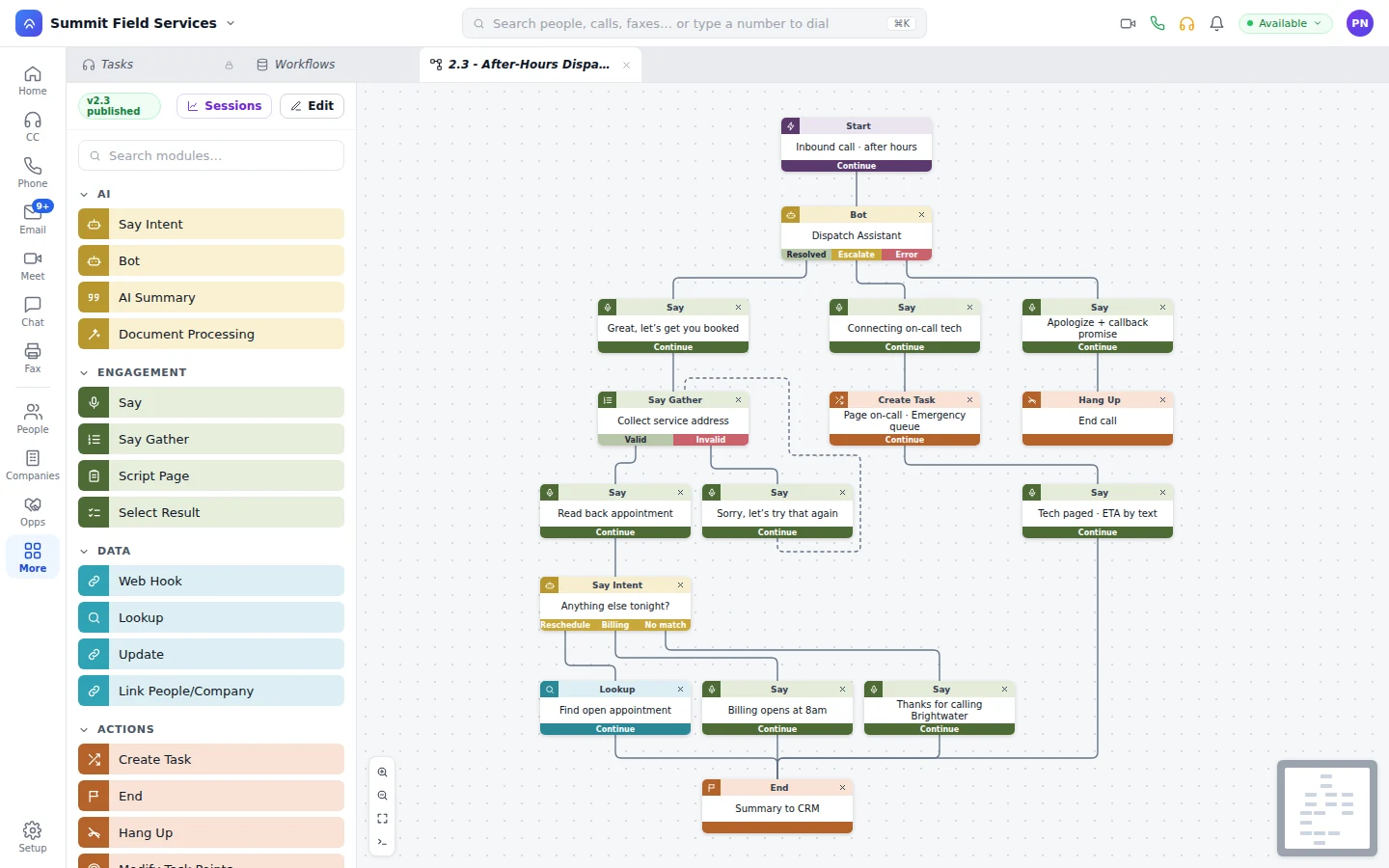
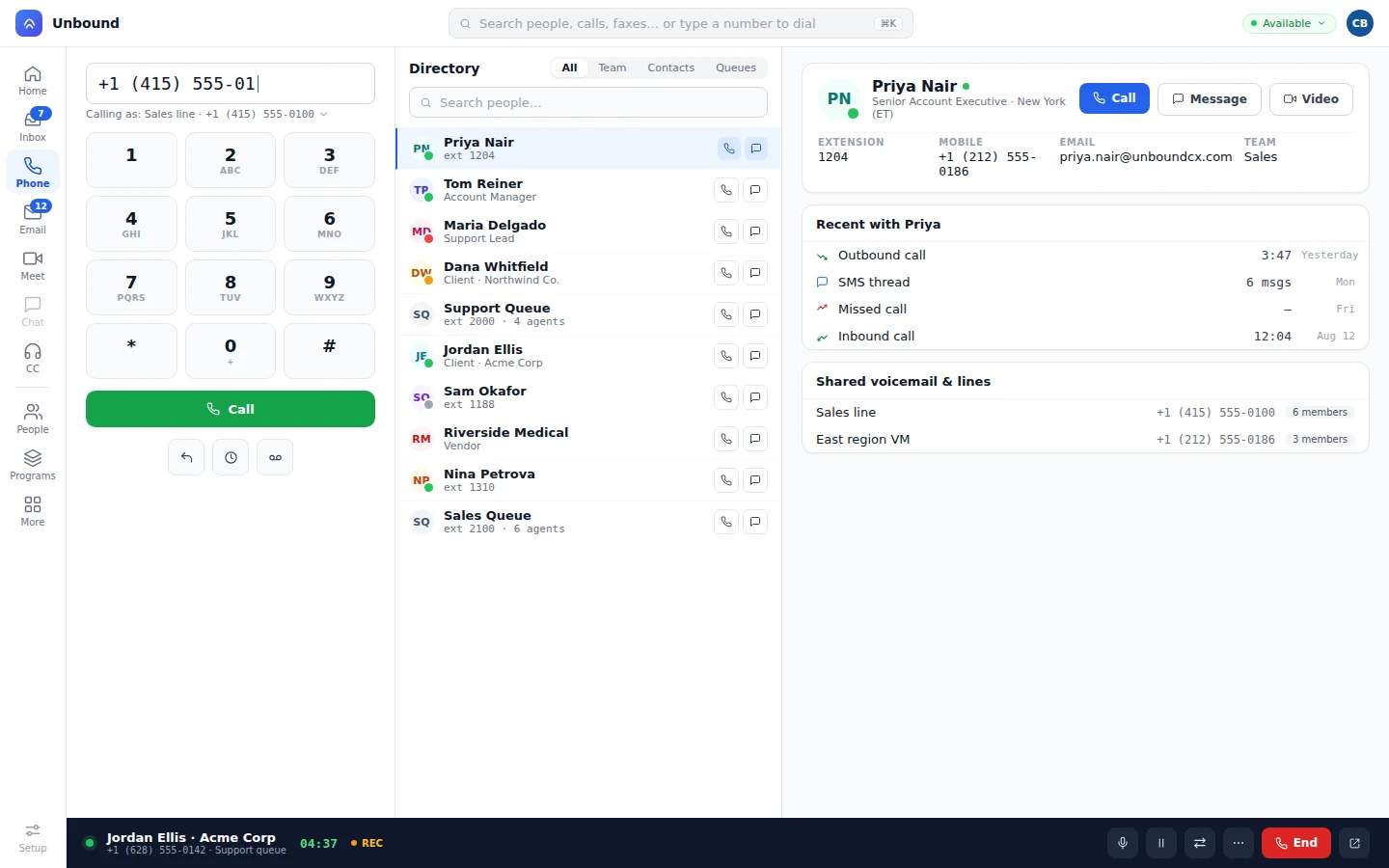
Call anyone at the account, and it's on the account.
A rep calls, texts, emails, or meets with anyone there, and it shows up on that person and on the company. They dial any number there from the softphone or their desk phone. Deals name the company on the board and in the table, and document templates pull in the company, the person, and the deal before the proposal goes out for signature.
Talk about the account on the account.
The account team comments on the company's feed, tags a teammate when there's a question, and keeps shared notes on the company page where the next person will look. Pin the account into a team chat channel and the thread links straight back to it.
Relate your own objects to the company.
Sites, contracts, equipment, policies: model what your accounts own as custom objects, relate them to the company, and let a change on any of them fire the next step.
- Custom objects and fields
Add the objects your business runs on and relate them to companies, people, and deals.
- Changes fire workflows
When a company record changes, a workflow can update other records, send an email or text, place a call, or call a webhook.
- Who sees which accounts
Each team sees the companies its record-type rights allow.
What account teams ask about company records.
Do calls to people at the company show on the company?
Yes. A call, text, email, or meeting with someone there posts to their record and to the company. Nobody logs it by hand.
How do people get linked to a company?
The company is a field on every person that links to the company record. Workflows connect new callers and form fills to their company with the Link People/Company step.
Can we add our own fields and objects to companies?
Yes. Add custom fields, build the layout in the layout builder, and relate your own objects, like sites or contracts, to the company.
What does a bot do when someone from a known account calls?
It looks the caller up, ties them to their company, and asks what they need. Then it either finishes the job or passes it to a rep who can see the account and the conversation so far.
Open an account and call someone who works there.
Your 30-day trial comes with sample companies and their people loaded. Pick one, call a contact from the list, and you'll find the call on both the person and the company.