Know who to target, what it cost, and what converted.
Every visit, form, call, ticket, and deal ends up on one person. Programs divide spend by the people who reach your win, and a journey moves each person through a sequence of emails, texts, and waits until they convert or a rep steps in.
In a five-vendor stack, marketing works from list exports and an ad-tool spreadsheet while the calls and deals sit somewhere else.
100+ countries · Cloud, hybrid, or onsite · 1 to 1,000 seats
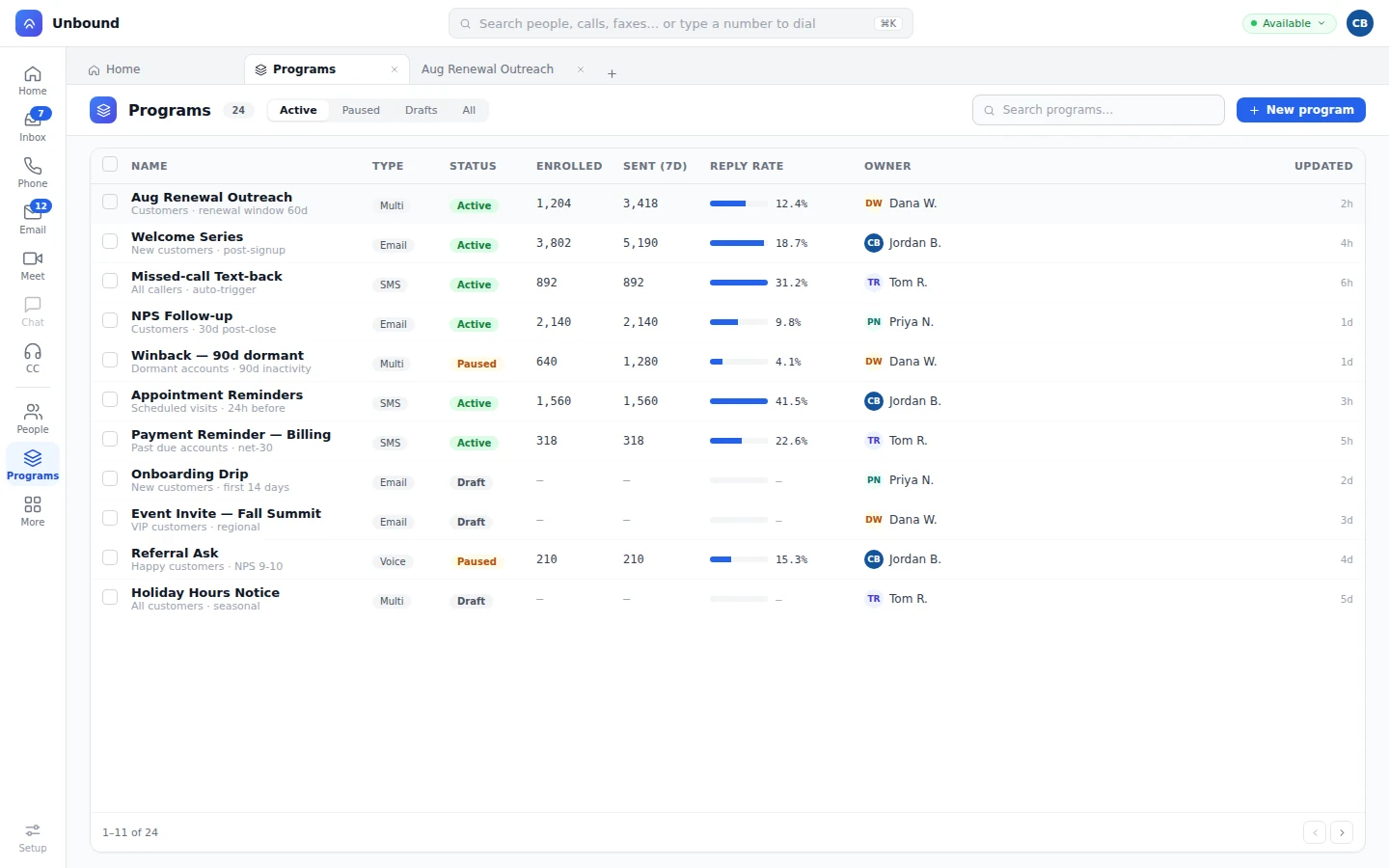
Every program carries its members, its spend, and its cost per acquisition.
A program is the campaign as a business unit: who's in it, what you spent, and what counts as a win. Journeys enroll people, spend posts to the ledger, and cost per acquisition updates as members reach the win.
- Members
Journeys, forms, and workflows add people, and the marketer can open any of them with their calls and messages.
- Spend ledger
Workflow modules post ad spend to the program as it runs.
- Success role
Name the result you're paying for, and cost per acquisition follows from the members who get there.
- Program reporting
Compare programs on enrollment, sends, reply rate, and cost per acquisition.
One tag turns anonymous visits into a known person.
Put the Unbound JavaScript tag on your site. A visit starts a visitor record, a form or a call turns it into a lead, a signature makes it a customer, and the ad, the call, and the deal stay with that one person.
Phone and laptop, one person.
Visits from every device a person uses are linked, so the lead score counts all of them.
Google Analytics and Meta in the same place.
The marketer sees analytics and ad data with the person, not in a separate tab.
Ad audiences and spend from workflows.
Audiences update from the record, and spend posts to the program that paid it.
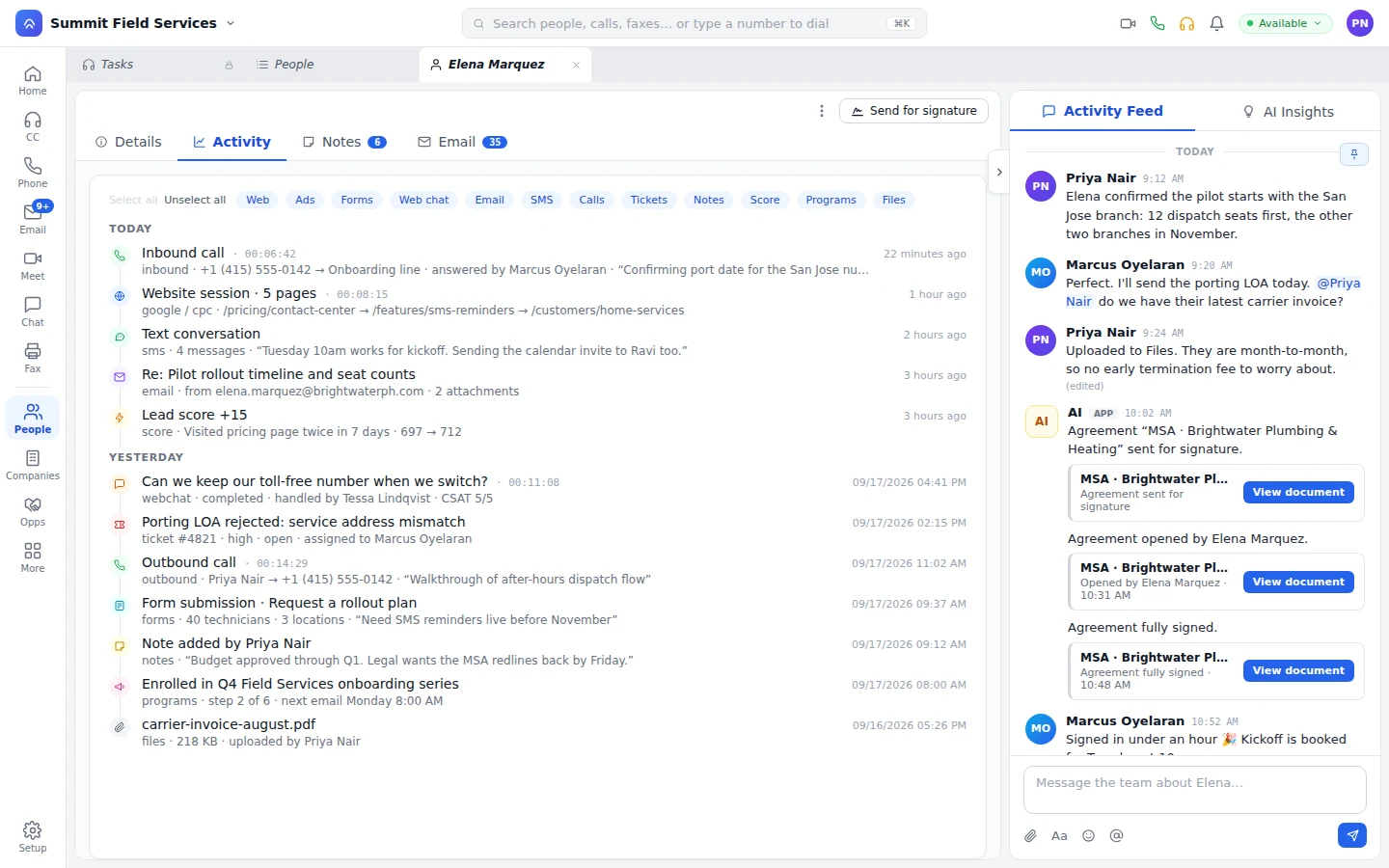
One engine runs your blasts and your sales cadences.
A blast sends once to a list. A cadence moves one person through email, a wait, a text, and a reply check, in the same designer that also answers your phones and routes your contact center. A reply can hand off to a rep or keep the sequence running, your choice per step.
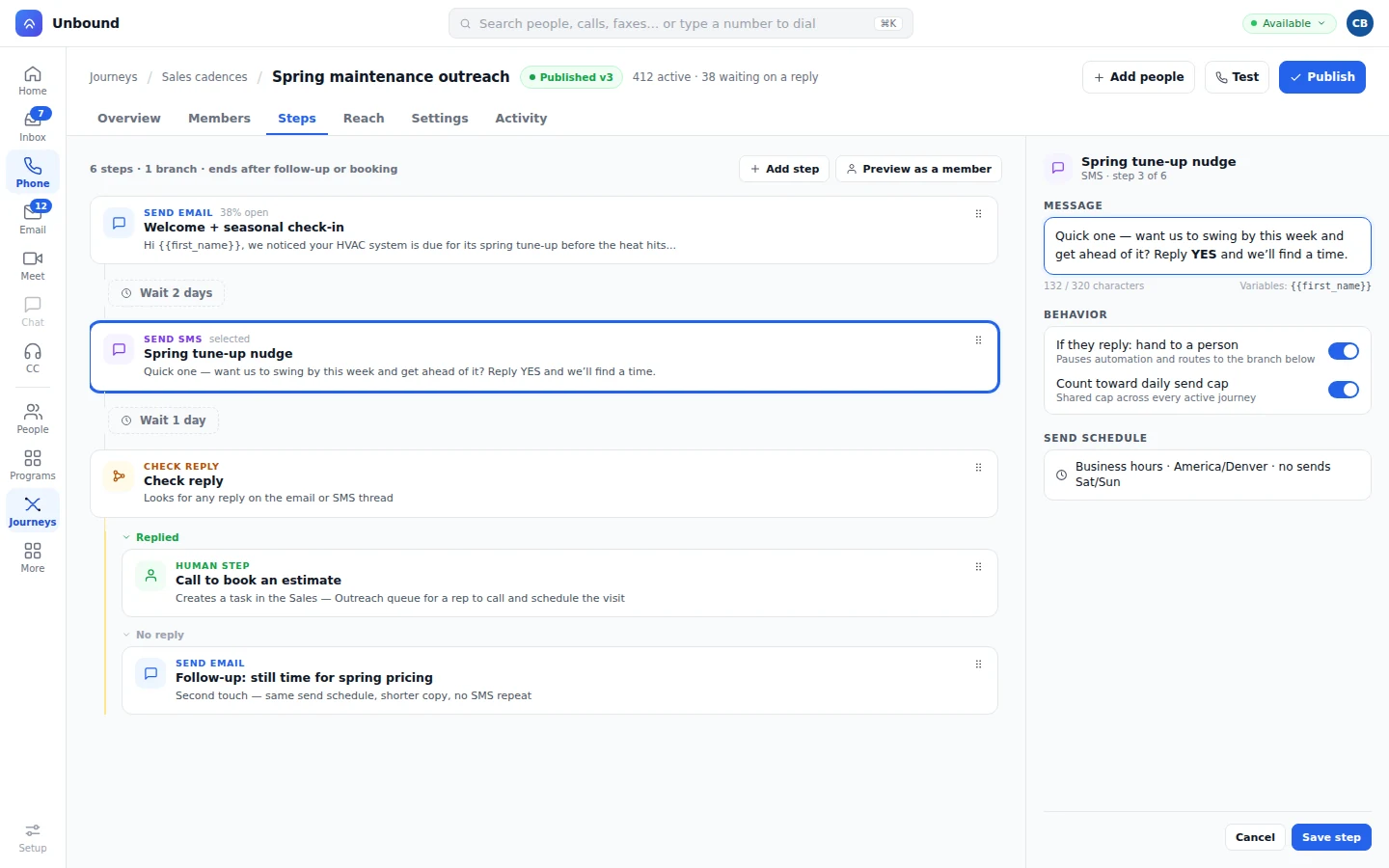
Forms that skip what you already know.
Marketers build forms themselves. A returning visitor sees only the fields you're missing, and the submission goes to their record and starts the next step.
Verified on the way in.
Submissions are checked, stored on people, companies, or custom objects, and added to the lead score.
Where the form lives.
On an Unbound landing page, embedded on your site, or your own form sending straight to Unbound.
Landing pages marketing publishes itself.
Marketing designs and publishes the campaign page, and leads get a portal of their own.
Straight to a queue, not just a record.
A submission can create a task in a queue for a rep to work, not only save to the person's record.
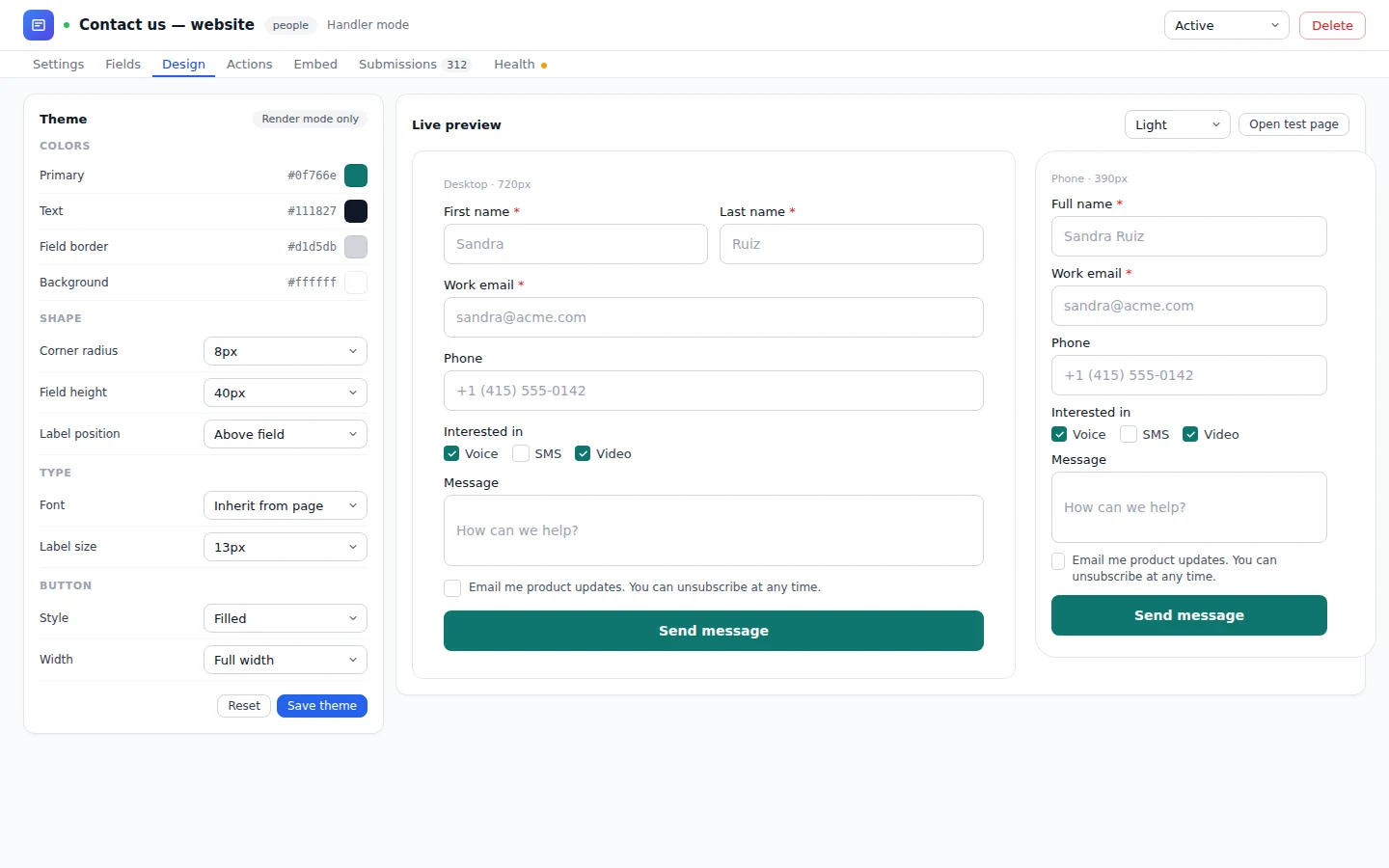
A bot works the lead until a rep should.
From a journey step or a form reply, the bot calls or texts, asks your qualifying questions, and books the next step. A number on your blocklist never gets a text, on a journey or from a bot. When the prospect's ready to buy, a rep takes over with the ad, the form, and the bot's answers on screen. How bots hand off to reps
What marketers ask about tracking, journeys, and data.
What do I need on my website to start tracking?
The Unbound JavaScript tag. Once it's on your pages, visits collect on visitor records that later become leads and customers.
Does Unbound connect to Google Analytics and Meta?
Yes. Their data shows on the person's timeline, and workflow steps add or remove people from ad audiences and post spend to the program.
Can I keep the website and forms I already run?
Yes. Add the tag to your pages, then send your existing form to Unbound or embed an Unbound form where it sits today.
Is marketing automation a separate product?
No. Journeys are built in the designer that runs your IVR and queues, a journey is just a sequence of touches sent to one person, and a form submission can save to a record or create a task in a queue. It's the same data model and login as the contact center, phones, and CRM, under one contract.
See your own visitors show up as people.
Open an account with sample data already loaded: programs, journeys, forms, and bots writing to the record. Then add the tag to your site and run your next campaign from the same place.