Threads about a customer live on that customer.
Pin channels, DMs, and threads to the customer or deal they're about. You can open the record from the thread and update it without leaving chat.
100+ countries · Cloud, hybrid, or onsite · 1 to 1,000 seats
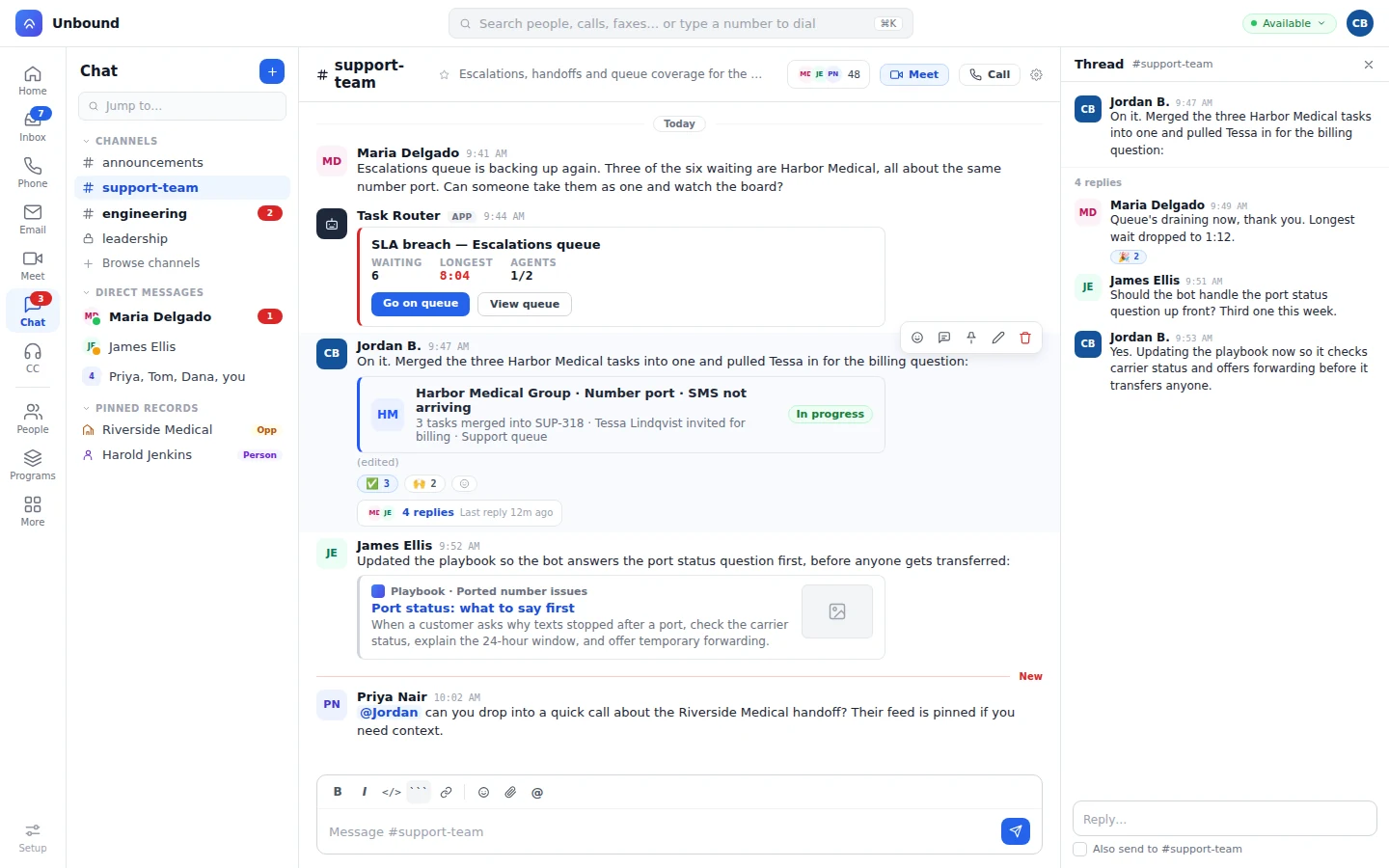
Pin the deal, and everyone on the thread sees the same picture.
Pin a person, company, deal, or ticket. It sits in the chat sidebar, right beside the conversation.
- Pin. Pin the record the conversation's about, and it stays there for everyone in it.
- Open it. Open the person or the deal, change a field, and you're right back in the conversation.
Nobody pastes the account notes into chat. They're already on the pinned record.
Channels for the work. Threads for the side talk.
Channels for ongoing work, DMs for one-to-one, and threads that keep replies under the message that started them.
- Channels. Start a channel, browse the ones that already exist, and join the work you need.
- Mentions. Everything waiting on you collects under Mentions and Threads, and Jump to finds any conversation.
- Admin. Admins manage chat in Setup, next to users, groups, and permission sets.
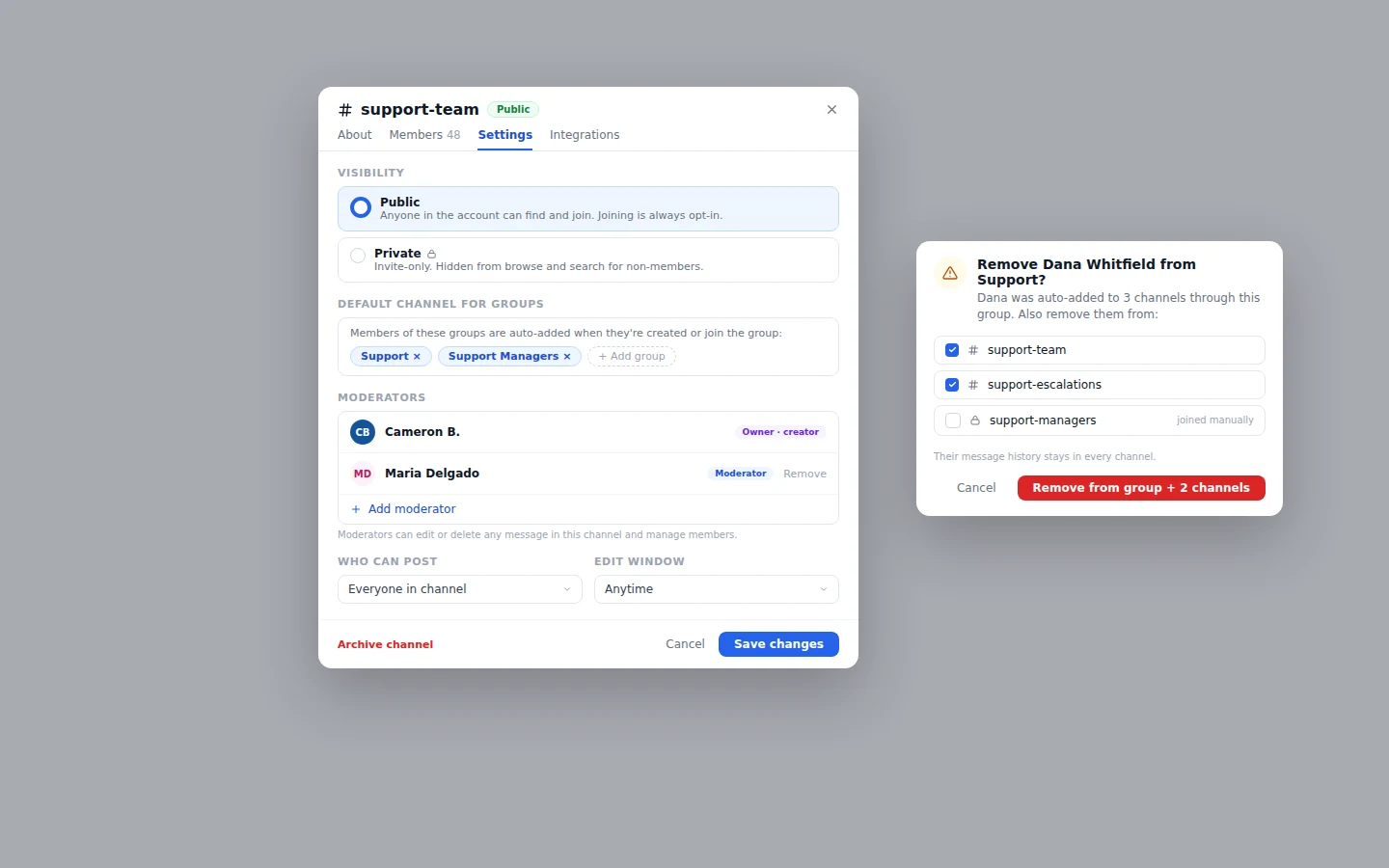
Call, meet, or pull a specialist in from the thread.
Chat shares presence with the phone, Meet, and the queue. When you can see a specialist is free, pull them into the live customer call.
- Status you can trust.
The dot next to a name in chat is the same status the queue and the directory see, so free means free.
- From the channel header.
Every channel has Call and Meet buttons, so you can take the conversation live without a second app.
- Contact center and office, same chat.
Agents on the queue and staff in the office share one chat, so the wider team is a message away.
Queue alerts and outside answers, right in the channel.
When a queue needs help, a workflow can alert a team channel, or send a text or email. From chat, you can trigger an MCP tool to pull customer details, confirm an appointment, or check an order. Ask a question in the channel and the answer draws on your customers, your records, and your knowledge base, not a blank chat window, under the same permissions the team already has.
- Knowledge. You choose which channels the knowledge base reads. DMs and channels you leave out stay out.
Raise a hand in a thread and a bot reads the pinned person or deal before it replies, or pulls the answer from a connected MCP tool. When the question needs judgment, it brings the right teammate in. The same bots work your queues
Questions from teams switching chat apps.
Can we message a bot directly?
Yes. Bots sit in DMs like any colleague, so a question that doesn't belong in a channel can go straight to one.
Which records can we pin in chat?
People, companies, deals, and tickets. Whatever you pin opens from the thread.
Does Unbound Chat replace our separate team chat app?
Yes. Channels, DMs, threads, and mentions run on the login your contact center and CRM already use.
Does the knowledge base read our DMs?
Not unless your security rules include them. You pick which chats it learns from.
Pin a customer to a thread and ask it something.
Your 30-day trial comes with sample data loaded. Pin a deal, raise a hand in its thread, and read the bot's answer with the deal open beside it.