Work the pipeline and the phone from one screen.
See the pipeline as a table or a Kanban board, call the buyer from the deal, and send the proposal from the deal it belongs to. The rep starts the day on a home screen with calls today, connects, and the follow-ups due.
100+ countries · Cloud, hybrid, or onsite · 1 to 1,000 seats
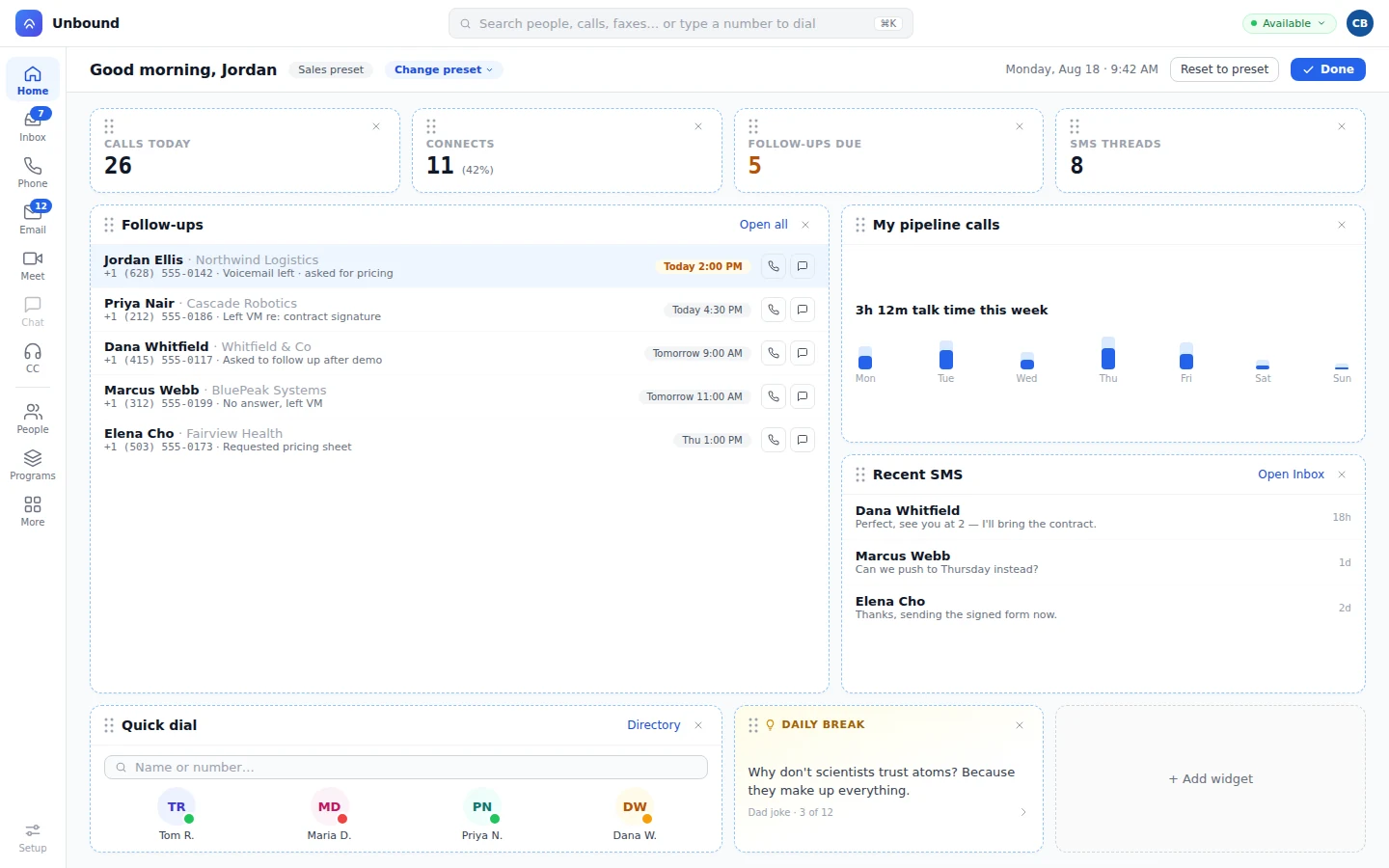
Table or Kanban, one click apart.
Each column is a stage with its total and count at the top, and every card shows the deal name, amount, company, and owner.
- Drag a deal forward
The rep drags the card to the next stage, and the column totals follow it.
- The same deals as rows
Search, filter, and sort when the board gets long.
- More than one pipeline
Opportunity types give each kind of deal its own pipeline.
- Stages per team
Record types give each team its own stages and fields on the opportunity object.
Call the buyer from the deal.
The rep calls the buyer on the softphone or a SIP desk phone. The call shows up on the person's and the company's timeline, so whoever opens the deal next hears the story from the record.
A call button on every number.
The deal lists its people, and each of their numbers dials with a click.
Follow-ups on the rep home.
The rep starts the day with the follow-ups due and dials straight from the list.
No call logging.
Calls, texts, email, and meetings attach to the deal's people as they happen, so the stage matches the last real conversation.
The proposal lives on the deal.
The rep builds it from a document template, sends it for a binding e-signature, and the customer pays in the same send.
Before
- The proposal gets pieced together in a separate document.
- Signatures go through an e-sign tool with its own seats.
- Payment is a second call after the signature.
- The stage moves whenever someone remembers.
On Unbound
- Your template, filled from this deal and its people.
- Signed from email, a text, a fax, or across the table.
- The customer pays in the same send.
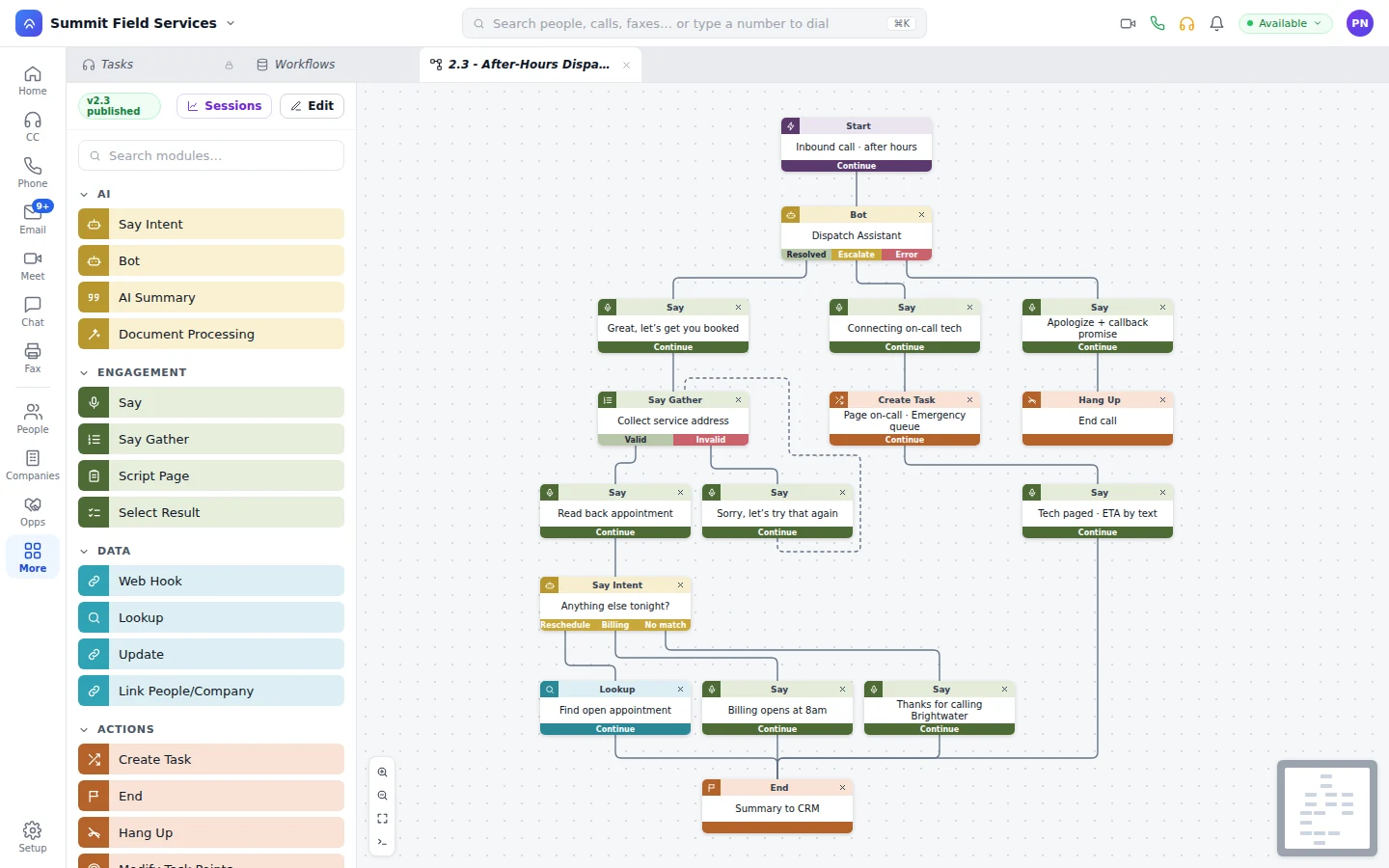
- On a callback, a bot confirms the amount, collects it, and moves the deal before the call ends.
If the buyer wants to negotiate, the bot passes the task to a rep along with the conversation. How bots work on Unbound
A stage change starts the next step.
Move a deal to a stage and the workflow you built runs, with no developer in the loop. It updates other records, sends the email or text, places the call, runs a JavaScript script, or calls a webhook. When the deal closes, a templated onboarding project opens, and the customer joins it from their portal.
What buyers ask about the pipeline.
Can we see the pipeline as a board and a table?
Yes. One click flips between a Kanban board with stage totals and counts and a table of the same deals.
Can we run more than one pipeline?
Yes. Opportunity types give each kind of deal its own pipeline, and record types give each team its own fields and stages.
Can reps call the buyer from the deal?
Yes. Each number on the deal's people dials with a click, and the call is logged on the timeline by itself.
Can a bot take a payment on the deal?
Yes. On a callback, the bot confirms the amount, the customer pays through the payment step, and the deal is updated before the call ends.
Drag a deal forward and call the buyer.
Your 30-day trial comes with a sample pipeline loaded. Flip it to Kanban, call a buyer from a card, and send the proposal from the deal it belongs to.