Phone
Calls and faxes.
Numbers in 100+ countries with HD voice and geo routing. Faxes arrive as tasks too.
A customer calls, texts a photo, switches to video, and gets the follow-up by email. It all stays on one task on their record, so they never have to repeat themselves.
Each channel counts toward the agent's capacity the moment it's added.
100+ countries · Cloud, hybrid, or onsite · 1 to 1,000 seats
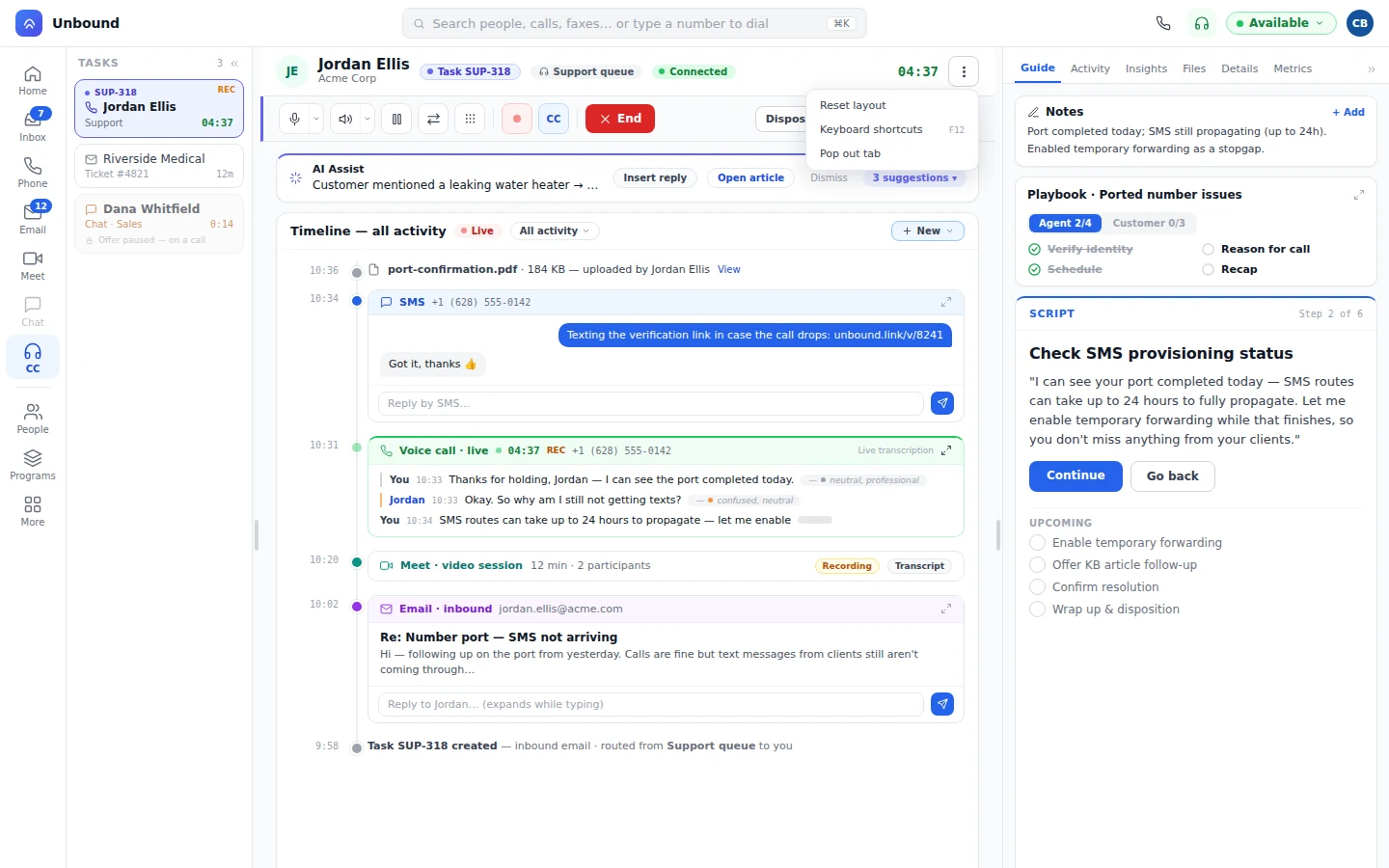
A conversation picks up channels as the issue needs them, and the task keeps one history from hello to wrap-up. Here's one damaged delivery, start to finish.
A customer calls about a delivery that arrived damaged. The task opens on their record, with earlier conversations included.
Still on the call, the agent texts them, and the customer's photo of the damage lands on the timeline.
To check the part together, the agent switches to video without leaving the task.
The replacement confirmation goes out by email, and the task closes with four channels in its history.
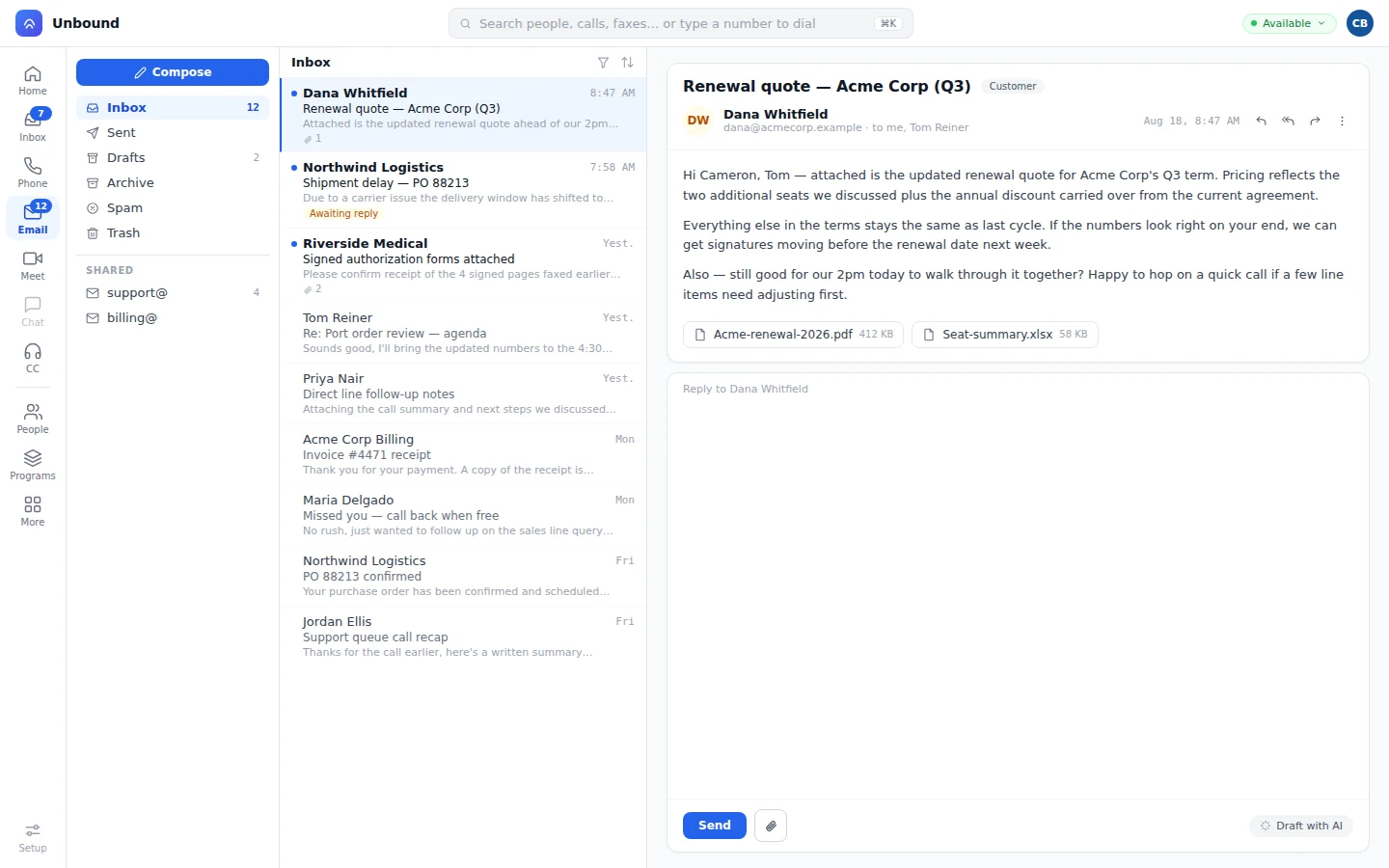
Set a limit for every channel type. Most teams make a live call block everything else. Some allow one call and one chat. Either way, it is your rule, and routing follows it.
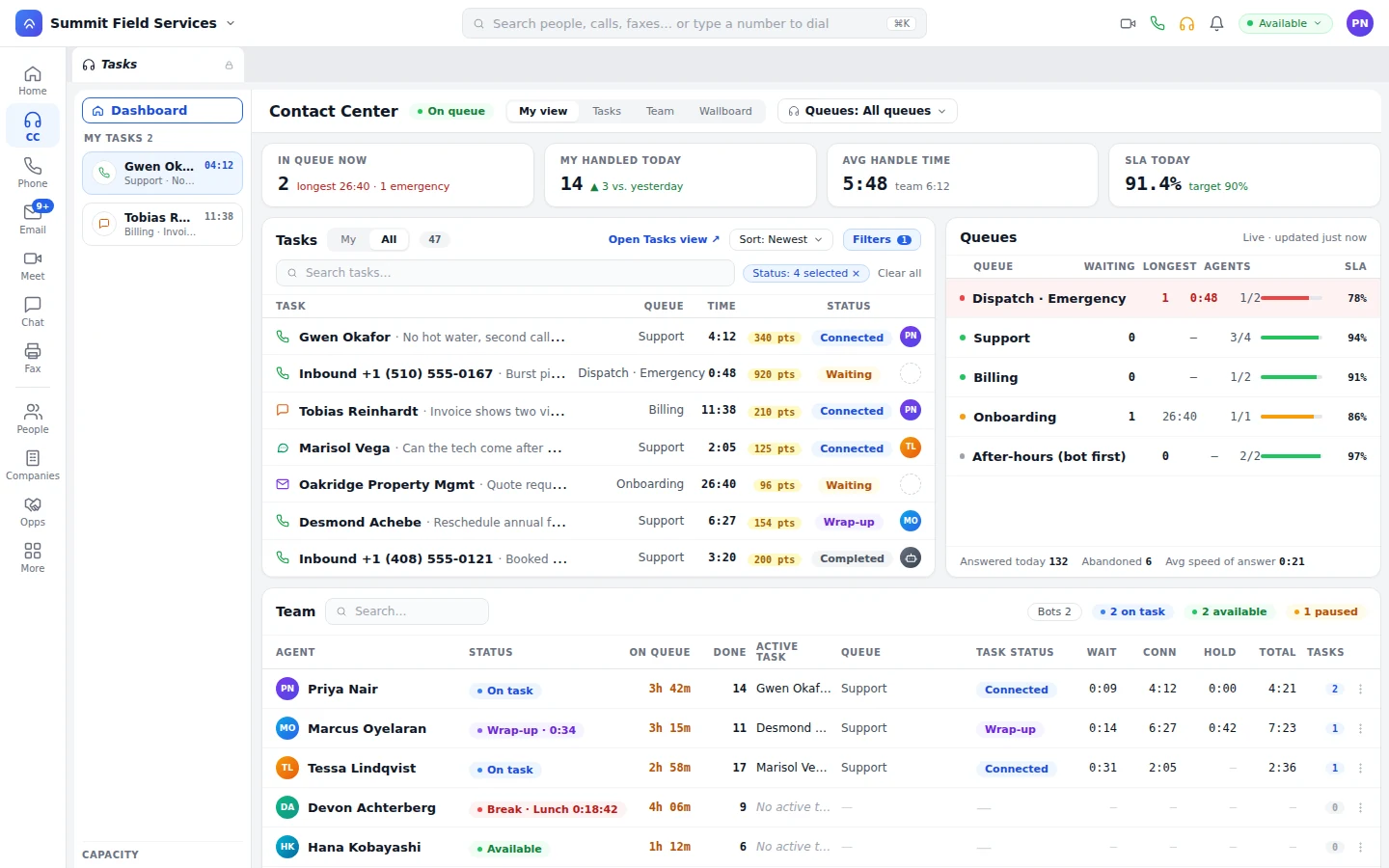
Calls, messages, meetings, files, and notes sit on the customer record. Whoever opens it next picks up where the last person stopped.
A bot can work this task too: answer the call, then text the confirmation without opening a new thread. When it hands off, the person reads the timeline the bot started. How bots work
AI Workflows read each request and create the task in the right queue, with the skills and priority it needs.
Numbers in 100+ countries with HD voice and geo routing. Faxes arrive as tasks too.
A chat widget on your website opens a chat task in the queue.
An inbound text or email becomes a task and routes the way a call does.
The AI Workflows that run your IVR decide where each contact goes and what it needs.
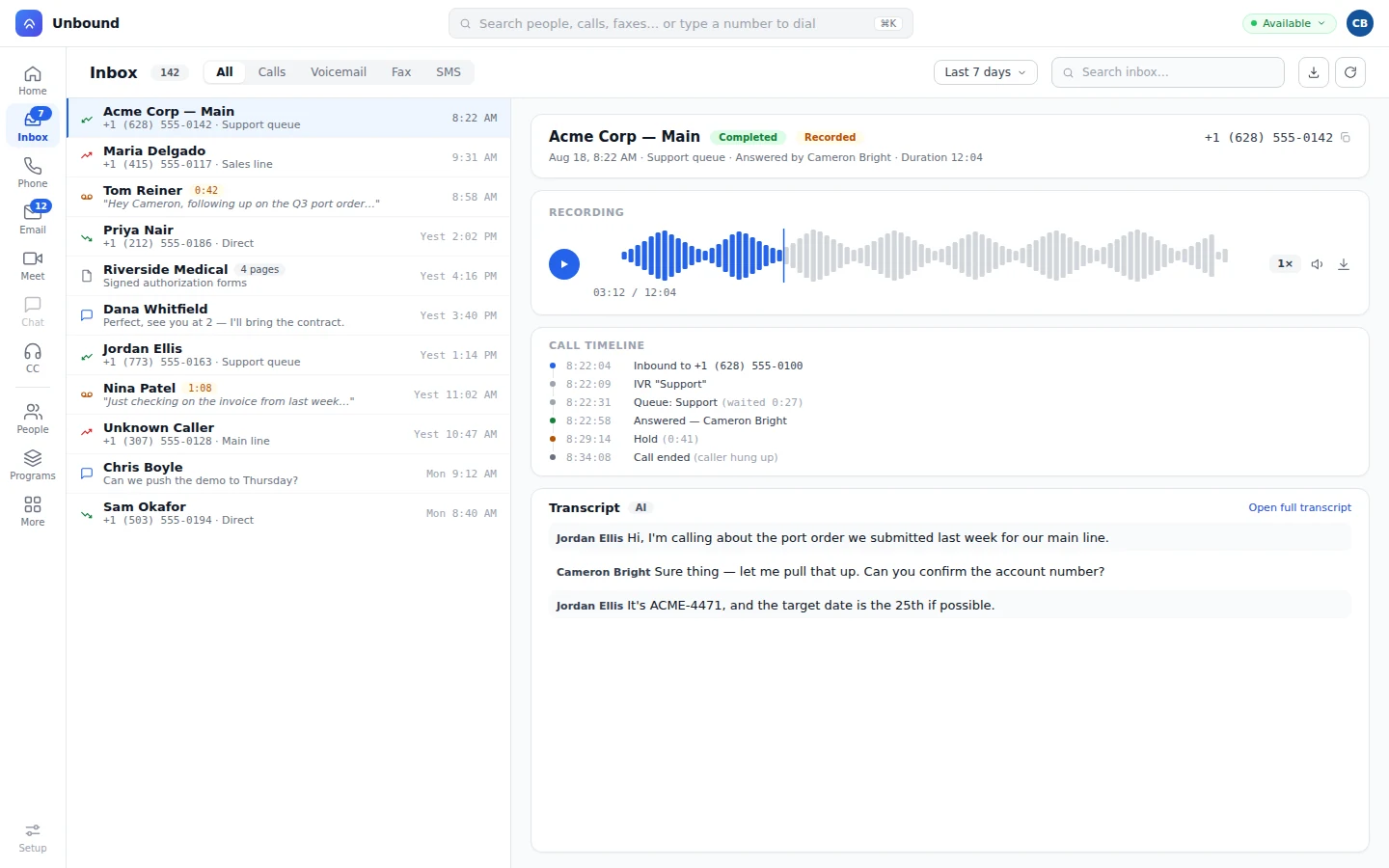
Yes. The agent adds SMS, video, or email while the call's still live, and capacity updates right away. Your queue settings control which channels are allowed.
No. The new channel joins the existing task, and the timeline shows every call, text, email, and video session in order.
A fax arrives as a task, routes by the same rules as calls and messages, and lands on the customer's record.
Yes. Calls and video are transcribed live, and translation runs in real time on voice, video, chat, SMS, and email.
Start a 30-day trial with sample data loaded, take a call, text the caller from inside it, and watch both land on one timeline. Then add your own channels.